
Persistent Garmin Express Freeze with Edge 1040 - macOS Tahoe

Hello,

I am reaching out because I have been unable to connect my Edge 1040 to Garmin Express for over a year.
While my Mac correctly detects the GPS as a Edge, Garmin Express fails to recognize it and systematically freezes as soon as the device is plugged in.

The issue persists across multiple app updates. Here are my current specifications:

Device: Edge 1040 (Firmware v30.11)

Software: Garmin Express v7.28.0.0

OS: macOS Tahoe

This long-standing bug prevents me from managing maps and performing wired syncs. Could you please investigate why the app hangs upon connection?
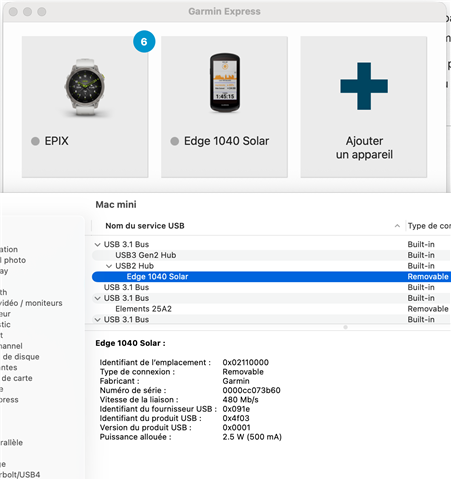
  • For newer macOS versions (Catalina 10.15 and higher), permission is required to allow devices to connect with Garmin Express. Please follow the steps here to adjust the security and privacy settings on your Mac. It's worth noting that Tahoe is not specifically listed in this FAQ, so the visuals will look different for you, but the steps will be the same.

  • Even with file and folder access right Express freezes! On Tahoe you have to kill 2 Garmin processes to make it work again.

  • Have you tried this on another computer? It's been working fine for me. Currently on Tahoe 26.3, Express 7.28, M1 Pro Macbook (but Express is still an emulated x86 app).

    If you don't have another computer, have you tried another USB port?

  • I have run into the connection issue and the solution for me was the usb cable. Not all usb cables with a "c" connector to usb-a style are the same. Some charge only. Some charge and perform communications. What I found with the 1040 is always use the supplied connector. Never had any more issues once I used the Garmin connector. Yes, some of the software is buggy, and the 12040 has issues too, but for solid connections use the supplied cable. If you have a usb cable tester, this can tell you if your pile of usb cable are a match to the garmin cable. I found that I have 1 out of a dozen that makes the Garmin supplied cable.