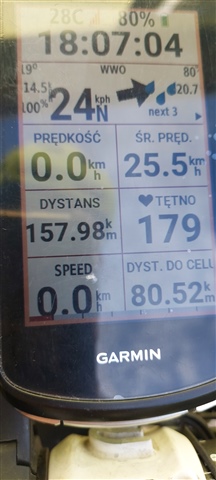
Im not with my edge, but if I need to see the time I only tap the display once and the upper bar will blend in and show it to me? This works for me with a radar connected.
I'm seeing the same behavior with the radar icon covering the time on the first widget page (settings page). Not a big deal as tapping the screen works, but obviously an oversight since the behavior is…
Just download the IQ app and you'll have a big clock...
Im not with my edge, but if I need to see the time I only tap the display once and the upper bar will blend in and show it to me? This works for me with a radar connected.
I don't know how I missed that, but you are right. It is even easier to do and the time field is even bigger than on the widgets screen. Thank you!
I'm seeing the same behavior with the radar icon covering the time on the first widget page (settings page). Not a big deal as tapping the screen works, but obviously an oversight since the behavior is different on the home screen (the radar icon is pushed down).
Just download the IQ app and you'll have a big clock...
Thank what I have noticed too.
Thanks for the suggestion. I was always more or less happy with the default data screens. Maybe I will try custom ones...