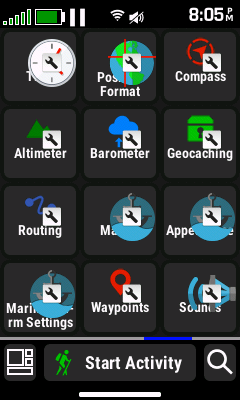
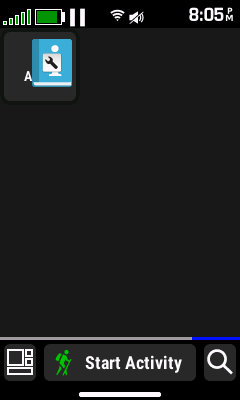
Seems to be an issue introduced with 12.06: when switching activity type, the App list contains additional “apps” that appear to be shortcuts to items in the setup menu. Power cycling the device restores the original app list.
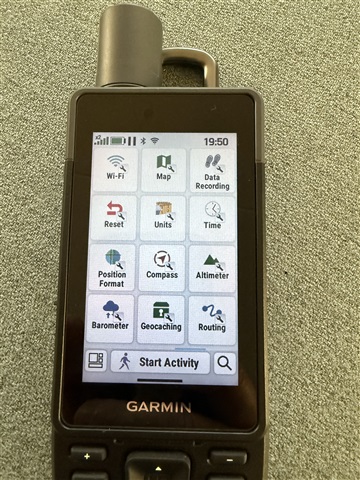
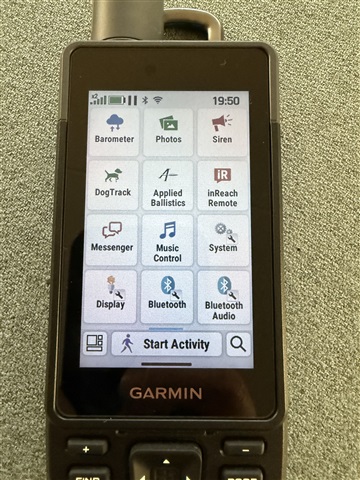
Seems to be an issue introduced with 12.06: when switching activity type, the App list contains additional “apps” that appear to be shortcuts to items in the setup menu. Power cycling the device restores the original app list.


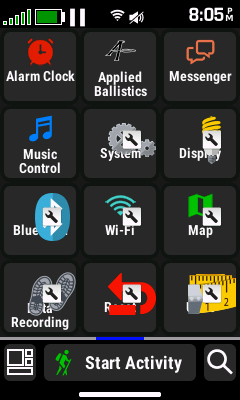
Same here on eTrex Touch (Gen 2). Began with v12.06. Noticed it after changing an activity (this is what triggers it). It will go away after a power cycle but will return again after an activity change. The extra icons / shortcuts begin with the first screenshot, immediately after the Music Control app and continue for two more pages after that.


Hello. I would love to help with this. After you powercycle, does the concern return again? If so, what steps do you take when you seeing this reoccur? Or did the powercycle resolve this permanently?
Hi, a power cycle removes the additional shortcut apps. When changing activity type (via the activity button on the Home Screen), the additional apps appear in the app list. Quite easy to reproduce.
As JungleJim stated as as I already stated in my post above:
Began with v12.06. Noticed it after changing an activity (this is what triggers it). It will go away after a power cycle but will return again after an activity change
The power cycle only TEMPORARILY resolves the issue. Once you go and change an activity after the power cycle, the issue occurs once again until the next power cycle where the process repeats..
JungleJim , SergZak We are in the process of rolling out a software update for the GPSMAP H1i Plus. The rollouts should be complete within the next few days and the latest version is 12.08. Please try updating to this version when it becomes available to your device and let us know if it resolves this behavior.
Garmin - MR thanks, can confirm the issue is solved with 12.08.
Yes, the issue has been resolved with v12.08. Thank you/