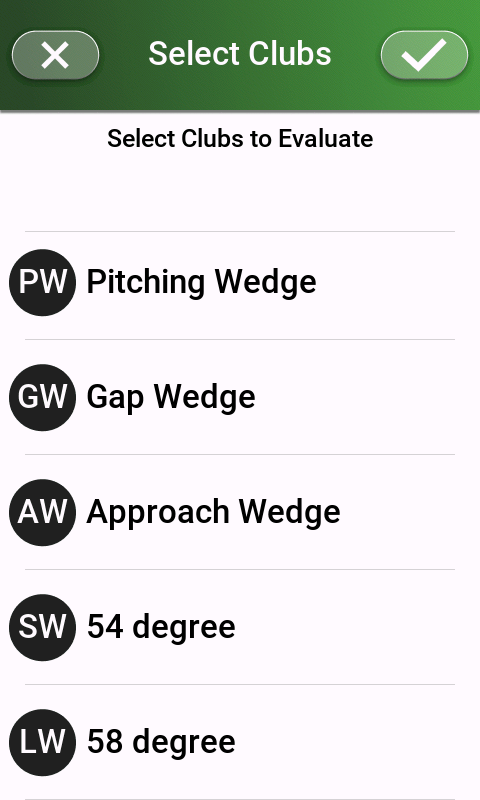
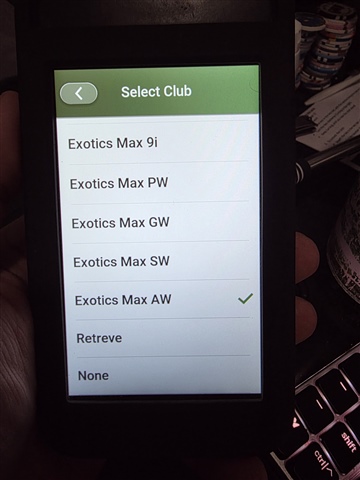
When doing bag mapping, I can't see an option for my approach wedge even though it is in my bag.
Anyone else having this issue?
When doing bag mapping, I can't see an option for my approach wedge even though it is in my bag.
Anyone else having this issue?
I have this issue on my R50. So it's something to do with the Garmin golf ecosystem overall.
With the latest public version of the Golf app (3.8) and latest version of G82 device SW (6.03) we're able to see Approach Wedge in our bag mapping list.

This is not working for me. I am in the latest version of golf app and g82 software (no updates for either) and my "Test AW" in my bag does not show up on the g82 (or on my r50). I have connected and refreshed as well.


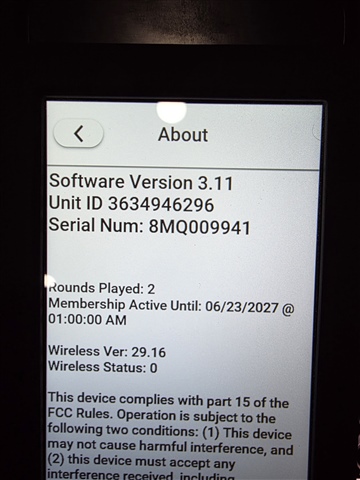
Version info:


After this I got the update to 6.03 but the test approach wedge and a test mini driver I added still do not show up to select as clubs on the g82.
8345696 Hi! We recently released software update version 6.03 that would allow you to choose the Approach Wedge option from the bag mapping list. Please ensure your unit software is up to date.
I just updated to 6.03 and re-synced and rebooted and my test mini driver and test AW are not showing up to select on my g82.
Once the software is updated, the Approach G82 will need to be paired with your phone and you will need to sync your device. If you're not seeing the option to choose the Approach Wedge after that, please try removing the club and readding it. **
It does work now!! Thank you! Now the r50 team needs to fix this same issue and I can correct my clubs.