Garmin Connect Web – Workout editor stuck in infinite loading loop

I'm experiencing an issue with the workout editor in Garmin Connect Web.

When navigating to Training & Planning → Workouts and attempting to open, edit, or duplicate an existing workout, the page enters an infinite loading loop.

The loading indicator and workout editor continuously flicker or alternate between two views. The page never finishes loading, making it impossible to edit the workout.

The issue occurs in both Google Chrome and Microsoft Edge.

Could you please confirm whether this is a known issue and whether there is a fix or workaround?

Thank you.
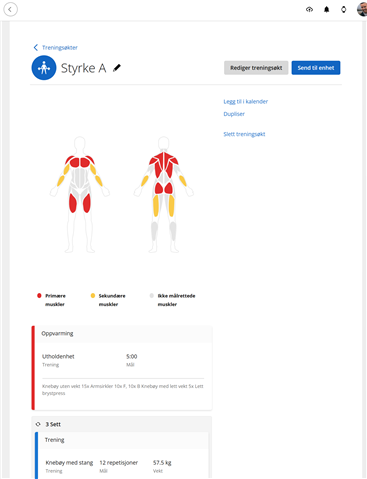

  • I have the same issue. Cleared my cache and tried private mode. I can’t save edited workouts in app

  •    if either of you is still experiencing this issue now, after clearing the cache. Please respond to the following questions. To make things less confusing, please respond with the number followed by your answer to that question.

    1. What is the web browser that you've used? List more than one if you've tried a different browser.
    2. Confirm that you've cleared your cache.
    3. Are you using a VPN? If so, let me know if it still happens when it's disabled.
    4. Have you tried this on more than one network or computer?
    1. What is the web browser that you've used? List more than one if you've tried a different browser. - Edge and Chrome
    2. Confirm that you've cleared your cache - yes
    3. Are you using a VPN? If so, let me know if it still happens when it's disabled - No VPN
    4. Have you tried this on more than one network or computer? - 2 different networks. Same PC

    Thanks,

  • I tried on my phone last night going through Safari rather than the app - no issues. It was working as expected and allowed me to connect to and edit workouts. 

  •   Thank you for providing those details. Does this happen every time you attempt to edit a workout, or only with certain workouts? I also want to know if it's possible for you to upload a screen recording of the issue so I can see the error firsthand and share it with our internal team. If you're using your browser in a different language, please set the language to English to make it easier to review and examine.

      If you can, I'd love to hear from you. I've added my original questions below, along with the two additional ones I just asked 1194060. Gathering this data will help us determine the root cause.

    1. What is the web browser that you've used? List more than one if you've tried a different browser.
    2. Confirm that you've cleared your cache.
    3. Are you using a VPN? If so, let me know if it still happens when it's disabled.
    4. Have you tried this on more than one network or computer?
    5. Does this happen every time you attempt to edit a workout, or only certain workouts?
    6. Can you upload a video of the error in Garmin Connect? If you're using your browser in a different language, please set the language to English to make it easier to review and examine.

  • This is good to know. I'm noting this along with the rest of the data that I've requested. I appreciate you trying something different; that can be very useful in the investigation. 

  • I get the same regardless of what type of workout I try to create or edit. I get the same loop if it is a new or existing workout.t See attached. It cycles through this for ever on my PC. t

  •     I have sent you both emails to get additional information so we can get this reviewed internally. **