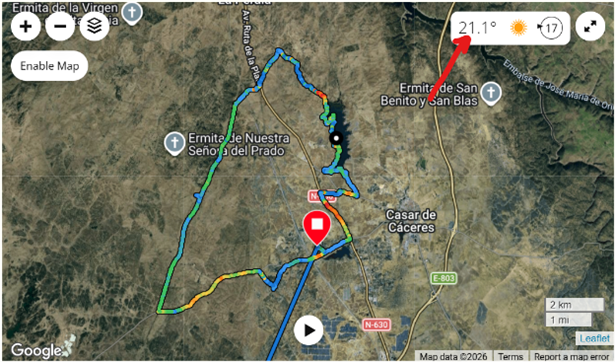
"Vivoactive 5 — Weather data intermittently not saved to activity summary"

Hi,

I'd like to report an issue related to the thread about weather data not appearing on activity maps.

I have a Garmin Vivoactive 5 and I've been experiencing an intermittent problem where weather data does not appear in the activity summary on Garmin Connect after syncing.

The weather widget on the watch shows correct data during the activity (temperature, conditions), but when the activity is saved and synced, no weather data appears in the activity record on Garmin Connect.

This has been happening intermittently for a few weeks. Some activities do show weather data correctly, while others don't — with no obvious pattern and no changes on my end. Permissions are correctly set to "Always" for location, Bluetooth is on, and firmware is up to date.

The key point is: the watch does have weather data during the activity, but that data is not being attached to the saved activity record in some cases. This seems to have changed with a recent firmware or Garmin Connect update, as it worked correctly for a long time before.

Has anyone else experienced this intermittent behaviour? Could this be related to gaps in Garmin's weather API coverage for certain geographic coordinates, as described in this thread?

Thanks.
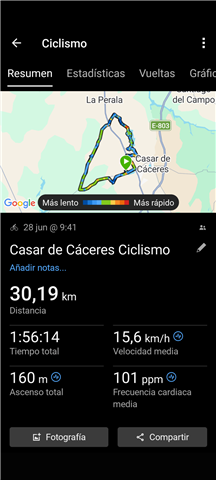
  • This looks more like a Connect (or a CloudFlare) problem, rather than a problem of the firmware of the watch. Unlike the Weather Widget on the watch (using indeed Garmin's weather stations network), Connect relies on a different one (presumably Google weather API, on Android phones, and on Connect web). If you export one of the concerned activities, and post the zipped FIT file here, I can try to find out where the problem comes from.

  • 23405519451.zip

    Hi,

    Thank you for your response and for the clarification about the different weather data sources — that's very helpful to understand.

    I have exported one of the affected activities and I'm attaching the compressed FIT file here. I hope it helps identify where the problem is coming from.

    Thanks again for your help.

  • Yes, the file helped finding the problem - the Weather API used in Connect simply does not have any data coverage for the location of the original starting coordinates in Cáceres (39.55109984613955, -6.452585784718394), and unlike Garmin's API used for the Weather Widget on the watch, the web API does not go to search much further away (which in fact makes sense), so no weather info is shown. However, if you edit the starting coordinates, and take a location where the data is available, the info is shown. See the screenshot in the next post (it is blocked here) with the starting point of your activity edited to be in Badajoz (100 km south). You could probably find a closer location with weather data, but I simply went to the nearest airport, because I know Garmin uses weather data on airports, on their watches.

  • Hi,

    Thank you so much for investigating this — that's a very clear explanation and it makes total sense.

    So the root cause is simply a gap in the weather API coverage used by Garmin Connect for that specific area of Cáceres, Spain. It's not a firmware issue or a connectivity problem on my end.

    I'll report this to Garmin support so they can look into expanding the weather data coverage for that region. In the meantime, I now understand why the issue is intermittent — it depends on where exactly each activity starts.

    Thanks again for your time and for solving this so quickly. Very helpful!