This discussion has been locked.
You can no longer post new replies to this discussion. If you have a question you can start a new discussion

Edge 810 No Maps

Hi everyone,

I just got a Garmin Edge 810. I have spent hours trying to get my custom gmapsupp.img file to be read by the device, and now on top of that, it seems like it is not able to read the base map file either, so my map is nothing but a triangle and zoom buttons, and the "map information" menu is blank.

I have tried everyhting I could think of, has anyone dealt with something similar or has any ideas to fix this?

Thank you!

Some more information:

1. The files are there, are placed in the correct folder "Garmin", and have the correct filenames "gmapbmap" and "gmapsupp" with .img file extension

2. Right now I have placed the gmapsupp.img map on an SD card, and even when removing the SD card and only attempting to get the base map to work, it fails

3. I have performed a hard reset of the garmin and that also did not seem to work, as the base map is not being read
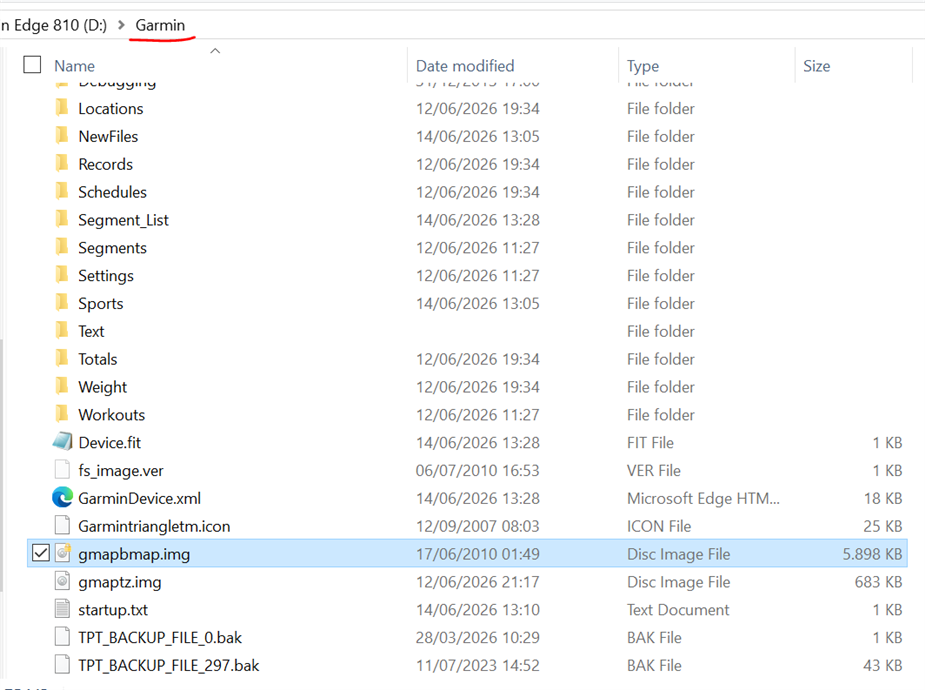
  • Since the 810 is over 13 years old, and this is not a Garmin Connect issue, you might consider posting this in the Edge 830 forum section. It’s the oldest model in the 8xx series that is still has an active forum. Assuming mods haven't moved this already.

  • 1. Have you enabled the map? Wrench Icon > Activity Profiles > Your activity profile name > Navigation > Map > Map Information/Select Map > Select map and choose Enable

    2. If the map isn't in the list, What encoding did yo use to create the map? UTF-8 or latin-1? 

  • Hi! Apologies for not seeing this earlier.

    The encoding for the map I created is latin-1, however, when I click on "Map Information" I see nothing on the list, also the base map itself has disappeared... do you have any ideas?

    thank you in advance!

  • Thank you for the information! I will make a post this weekend on the specific forum section as well