Pace Function “Lost”

Recently I personalized my Forerunner 265. Now whilst “running” I don’t get my Pace Datasheet as in the picture shown. I didn’t find a clue or suggestion in the users manual nor in the www… I don’t even know how I turned off this data sheet. After watch hard reset and backup cleaning and all kind of data destruction I could manage, the first activation of an activity gets me this sheet again as shown in picture. But when the watch is finally synchronized, it’s gone for good. I’m a little clueless.
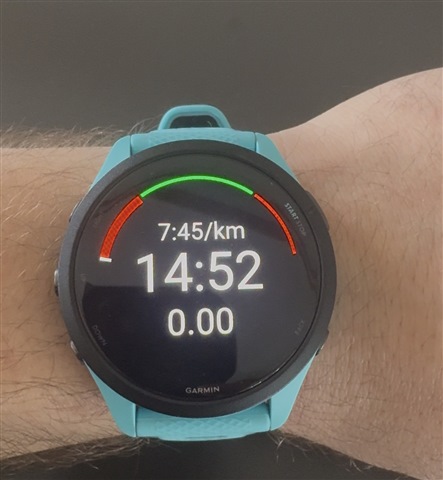
  • But when the watch is finally synchronized, it’s gone for good. I’m a little clueless.

    It probably restored the settings from the backup. Rather then resetting the watch, you could simply reset the concerned activity to defaults (the option is at the bottom of the concerned activity menu). Or you just add the pace diagram back to the data screen. I do not know where you find the field on FR 265, but on my Instinct 3 it is called "Pace Chart" and it is in the "Pace fields" category. You may want to ask on the Forerunner 265 forum if you do not find it - people there would know better than here.