This discussion has been locked.
You can no longer post new replies to this discussion. If you have a question you can start a new discussion

Can't upload a file

Hi 

I'm been trying to manually upload files for a few months now but its continually failing. You get the grey bar showing progress but it never actually uploads
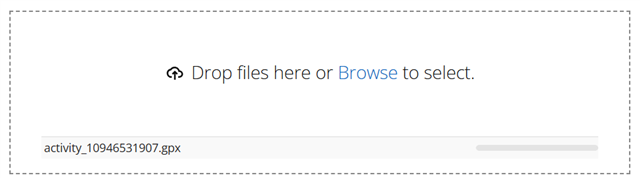
Things I've tried:  

  • Different files (from different devices)
  • Different Laptops / PCs
  • Different Browsers (cleared cache, cookies etc)
  • Different file types (.tcx, .fit, .gpx)
  • Uploading the identical file to strava
  • Downloading a file previously uploaded to/from GarminConnect and then attempting to re-upload
  • Reading the other posts in this forum

Has anyone successfully manually uploaded a file in the past month ?

Has anyone got any suggestions as to what I can try next?

Thanks

Pads Dad

Top Replies

  • Has anyone successfully manually uploaded a file in the past month ?

    Yes, there is no general problem, it works fine for me (and as I can see on the forum, for many others too). However…

All Replies

  • Has anyone successfully manually uploaded a file in the past month ?

    Yes, there is no general problem, it works fine for me (and as I can see on the forum, for many others too). However, Garmin uses CloudFlare service for protecting their network, and unfortunately it very often blocks the access to diverse Garmin's servers without any apparent reason. For example a VPN or an anonymizer can get you blocked, or a computer compromised by a virus or a hacker somewhere on your network segment can cause it too. Try an alternative Internet connection. And check the console in browser's DevTools for errors - it may reveal some clues.

  • Bonjour, 

    J'ai eu énormément de mal à le faire avec un fichier unique, puis cela a passé sans changement de méthode.

    Je viens d'essayer à l'instant et cela ne fonctionne pas une fois de plus ..................

  • Unfortunately the problem still persist (Czech Republic). In Firefox console I can see, that it always ends with "500 Internal Server Error"…

  •  Same over here (Netherlands). Can't upload a file manually.

  • Bonjour, J'avais un problème similaire mais la barre de téléchargement progressait et ensuite je validais mon activité. Mais le parcours n'apparaissait pas , j'avais une page blanche. La solution trouvé par hasard a été de ne pas lancer la traduction google (français pour ma part), je laisse en anglais et tout fonctionne correctement. Je précise que c'est en français quand même .........

  • Having the same issue. I was trying to edit an issue with GPS in my activity and upload the file back but it didn't work. What's even stranger is that the original Garmin gpx file with the activity won't upload. 

  • Same here for the last three days. Frustrating. No answer from Garmin whatsoever?

  • I've had the same problem since 03/03/26 & I contacted the help chat which wasn't helpful at all. What I have noticed is when looking at the import activity screen it actually say You can import:

    • Garmin Activity Files (.tcx, .fit or .gpx format)
    • Fitbit® Body or Activity Data (.xls, .xlsx or .csv format).
    • Shearwater Dive Files (.xml format)

    The thing I think they've changed is "Garmin Activity Files" so not supporting Wahoo or any other manufacturers device. I might be wrong but I wouldn't put it past them! Clearly not bothered about their brand image or customers that have multiple brand devices.

    Maybe they will see sense & allow us to import again. Manual entry will be a painfully slow & I probably stop using.

  • Post a sample file, so that we can have a try a find some clues.

  • I was aware of the fact that tracks recorded with a non-Garmin device are not counted towards batches. Could this be the next step, because indeed my tracks were not recorded with a Garmin device, but exported files from Basecamp which were recorded with another device. This works fine for a very very long time. Garmin is becoming increasingly customer unfriendly. Sloppy software.....