Corrupt fit file repair request (Battery died)

Hi. My watch battery died during a long hike (102025-12-19-20-51-01.zip+ hours). The .fit file size is about 1.5MB, but it won't upload to Garmin Connect. I tried online tools but they failed. Can someone please help me repair this file? I attached the zipped file. Thank you!

Top Replies

All Replies

  • Try open it in https://www.fitfileviewer.com/

    It say that there is a problem with the lap messages and offers you to download a fixed file.

  • Hello, can anyone fix a fit file for me? It was a PB, so desperate to get it in. My watch crashed as I saved the run, Garmin says there is an error with pace pro at the moment which they are looking to fix. I have tried all the recommended fit files repair websites, but they are not working. The file loaded into Strava but wont load into Garmin. Any help would be really appreciated.

  • Assuming you already tried FIT File Viewer.

    Attach the file to this thread so we can see if it’s fixable.

    • Zip the file, then in your reply go to Insert >> Image/video/file >> Upload >> browse for the file >> OK.
    • Or, you can upload the FIT file to a trusted file-sharing service like OneDrive, Google Drive, or Dropbox, set it to public, and share the link in your post.
  • Hello, yes I tried everything. Garmin are also investigating as it looks like the file is fine but my Garmin connect won’t ingest it. link below incase someone can help 

    drive.google.com/.../1Bp4HOA1s17nd58QQ7qg3vGB_tzg0lceW

  • I ran it through FIT File Viewer. Imported successfully into Garmin Connect using the Import Data page - https://connect.garmin.com/modern/import-data

    A 10 km run using an EPIX PRO - 42mm with an HRM-Fit heart rate monitor - 2026-01-01-11-08-29_fixed.fit

  • Thank you so much for your help and trying this. It seems it must be a problem with my Garmin connect then, as it’s not even registering that file as one I can select to upload. I will get back on to Garmin. Thanks again 

  • it’s not even registering that file as one I can select to upload

    Could you outline the steps you follow to download the file I attached and importing it into Garmin Connect?

    It should be something like this. The process may vary slightly depending on your operating system and browser.

    • Click on the file I attached in my previous post.
    • The file should then download to your downloads folder
    • Open the Garmin Connect Import page - https://connect.garmin.com/modern/import-data
    • Click on Browse to select
    • Browse to the location of your downloads folder
    • Select the file you just downloaded, then Open
    • Click the Import Data button
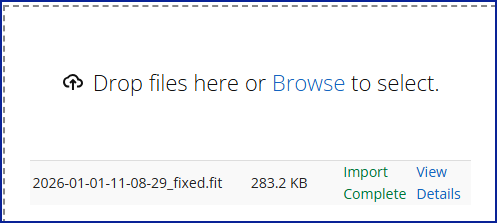
    • You should then see this

    Click on View Details

    If this still doesn’t work, let me know which operating system you’re using (Windows, macOS, Android, iOS) and which web browser (Edge, Chrome, Firefox, Safari). 

  • Hello, I tried those exact steps and it doesn’t even allow that file as an option to select to import. I tried on my windows laptop, to drag and drop it but it won’t do anything, just freezes. I’ve tried on safari on my iPhone, google chrome on my iPhone, edge on my windows laptop, google chrome on my windows laptop. My run is in my watch still, but not on my connect account. Could that be causing an issue at all?

  • it doesn’t even allow that file as an option to select to import

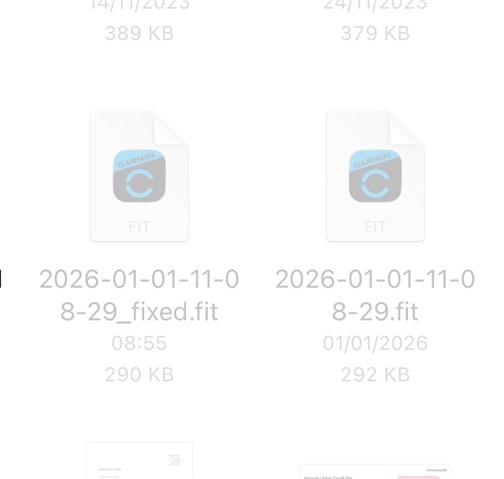
    Then I would be curious where your downloads end up when you click on the fixed file I attached.

    Easier to do it on a Windows or Mac computer rather than a mobile device. Here's a short video. I'm using Windows 11, Google Chrome