This discussion has been locked.
You can no longer post new replies to this discussion. If you have a question you can start a new discussion

OpenStreetMap doesn't load on Garmin Connect Web

For some reason, the OpenStreetMap does not load on my Connect web app. On a recorded activity, the GPS trace shows just fine when the map provider is Google Maps or Here Maps. But when I select OpenStreetMap, the tiles are dead. The same is true when I try to use OSM for creating a new course. Is there a setting to enable OSM on the web app?

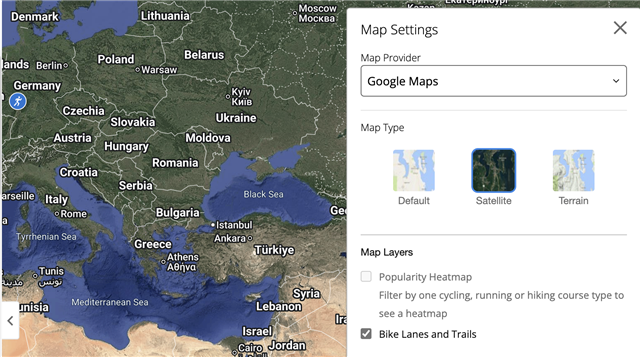
Here is what it looks like with Google Maps.
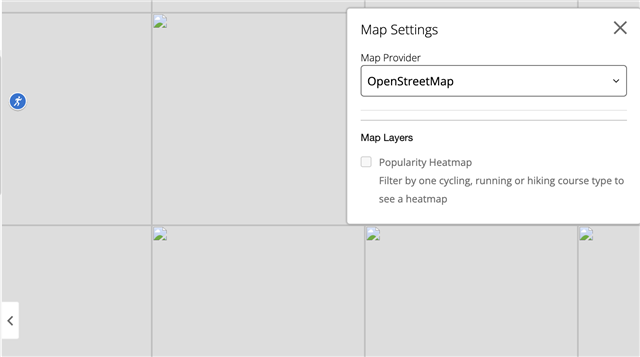
The same thing with OSM selected shows as follows
  • OSM works on mine at home and work. Firefox and Chrome.

  • Check the console for errors. Turn off all extensions and see if that helps.

  • Can you be more specific? What console? Which extensions?

  • What console?

    He means:

    - from the tab with the activity in question, press CTRL-SHIFT-I (Windows) / CMD-OPTION-I (Mac) to open the browser developer tools

    - In the developer tools, select the Console tab

    - reload the original activity tab and see what kinds of errors show up in the console (unfortunately there will probably be a few existing red herrings - i.e. error messages that appear even when Connect is working properly)

    Which extensions?

    He means browser extensions / add-ons such as adblockers.

    Chrome: https://support.google.com/chrome_webstore/answer/2664769?hl=en 

    Firefox: https://www.firefox.com/en-CA/features/add-ons/ 

    Safari: https://support.apple.com/en-ca/102343

    The easiest way to disable all extensions is to use incognito / private browsing mode, unless ofc you have extensions such as an adblocker set up to run in incognito mode. You don't have to do this permanently, but if it does fix the problem, then it will point you in the right direction. (You would then use normal browsing mode and try to disable extensions one-by-one until the problem is resolved).

    In Firefox, you can run in Safe Mode / Troubleshoot mode to (temporarily) disable all extensions: https://support.mozilla.org/en-US/kb/diagnose-firefox-issues-using-troubleshoot-mode

  • Hey, thanks for the clarifications.

    I tried Chrome and Edge on my Mac. Both have the same issues. 

    On Edge, I disabled all extensions, and that didn't help. In the console, there were some messages about something being blocked by the tracking prevention. So I disabled Tracking prevention for that site. Still didn't work. I tried opening in InPrivate, and that didn't work either. I've been clearing the cache between attempts too.

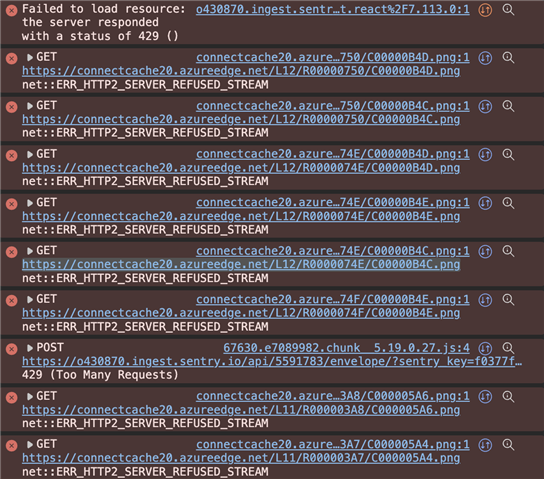
    The errors in the console are the below. Haven't a clue what to do about it.

    I also tried opening the GC web from my phone's browser. The behaviour is the same. So it is not a laptop specific issue.

  • Yeah, those errors for the "connectcache20.azureedge.net/...png" requests are def related to OpenStreetMap. In my testing, each of those requests is a map tile. (OpenStreetMap works fine for me.)

    When you test on your phone, is it connected to the same wi-fi network as your laptop? If so, try disabling wi-fi so it uses cell data instead.

    To work around the problem on your laptop, try turning off HTTP/2 in Chrome:

    https://my.f5.com/manage/s/article/K000092500 

    You may also wish to contact Garmin support about this:

    [email protected]

    https://support.garmin.com 

    If you send them the same screenshot and explain what is happening, hopefully they can inform the right people to fix it.

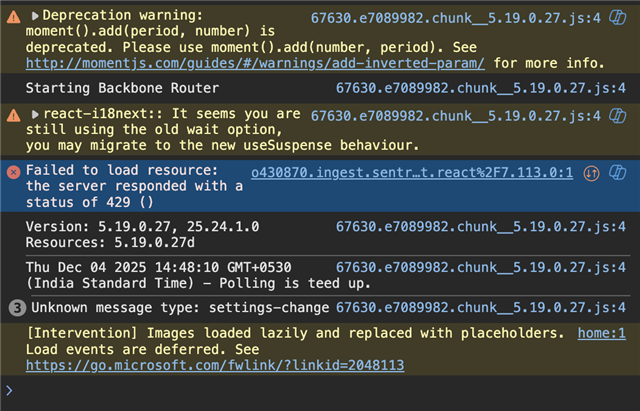
  • Thanks. But even with HTTP/2 disabled, the tiles don't seem to load. I'll escalate to Garmin Support and see what they have to say. The console errors have come down to the below now.

    When I tested with my phone, I tested over my Wifi and also direct on the 5G network. So it doesn't seem to be a home router issue.

  • I was able to replicate this problem on my friend's system too at a completely different location within India. So it seems a regional issue.

    After almost 3 months, Garmin Support has replied with the below statement. So they acknowledge there is a problem, but they can't be bothered to fix it. Garmin sounds more and more like the Boeing story... what was once an excellent engineering company, is now run by Finance.

    "Our investigation into this matter has concluded. Unfortunately, we've come to the determination that we will be unable to dedicate resources toward resolving this issue, and it will not be resolved. We realize this wasn't the answer you were hoping to receive, and we regret this. We apologize for any inconvenience this may cause."