This discussion has been locked.
You can no longer post new replies to this discussion. If you have a question you can start a new discussion

How can I add equipment to a workout?

I am editing a resistance band workout. For each exercise e.g. banded squat, I want to add an equipment - bands - to it. I can click on the option in the dropdown menu. However, it doesn't get saved. Tried many times but without success. Very frustrating.

Top Replies

  • in reply to Mike Yap +1 verified
    For each exercise e.g. banded squat, I want to add an equipment - bands - to it. I can click on the option in the dropdown menu. However, it doesn't get saved. Tried many times but without…

All Replies

  • The equipment is in the name of the exercice, such as Banded Squat.

    Or were you trying to do something else?

  • Thanks. Yes, I know that. I ticked "bands" under that particular exercise but it can't be saved.

  • For each exercise e.g. banded squat, I want to add an equipment - bands - to it. I can click on the option in the dropdown menu. However, it doesn't get saved. Tried many times but without success. Very frustrating.
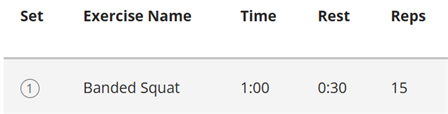
    I ticked "bands" under that particular exercise but it can't be saved.

    The Equipment checkboxes aren't meant to add equipment to your exercise.

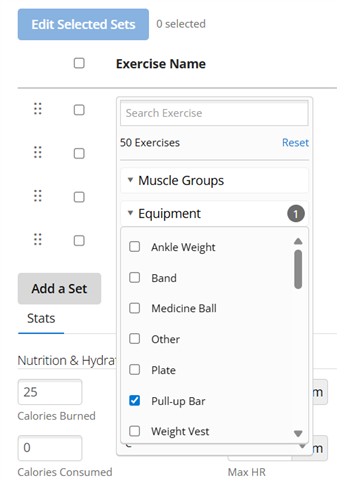
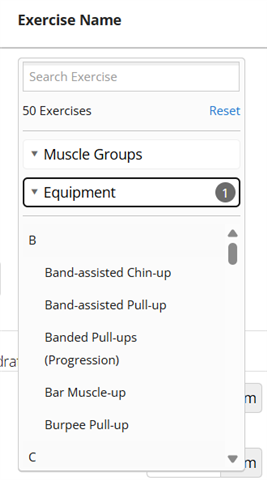
    They're for filtering the list of exercises, same as the "Search Exercise" text field and the "Muscle Groups" checkboxes, to make it easier to find the exercise you are looking for. Since they are just temporary filters, there's nothing to save.

    Here's an example of filtering all exercises by those which use Pull-up Bar equipment, resulting in 50 matches.

    The feature you're looking for - adding equipment to a strength set - simply does not exist. 

    Like seilogramp said, the closest there is to what you're looking for is the ability to select an exercise which uses the equipment in question.

    If you need to track more info for your strength exercises, I suggest putting descriptive text in the title or notes.

  • Ah, OK, I get it. I was confused earlier. Thanks.