I'm keeping the links for both v4 and v5 up because I'm not sure if v5 works for everyone yet.
Not officially, but I created a script to do this.
First you have to install the script as a bookmark in your browser. Once that's done, all you have to do is log into the Connect website and click the bookmark.
Installation [this is easiest on a computer but also works on mobile]
1) Open your favourite browser (e.g. Chrome, Firefox or Safari)
2) Open the script:
(see above)
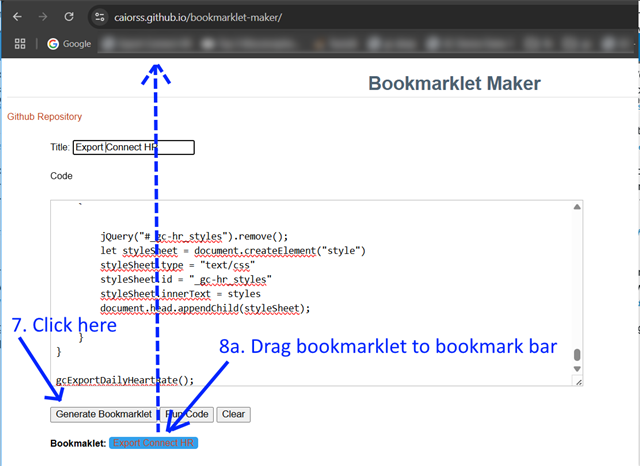
3) Select all the text (CTRL-A on Windows / CMD-A on Mac). Copy the text to the clipboard (CTRL-C / CMD-C)
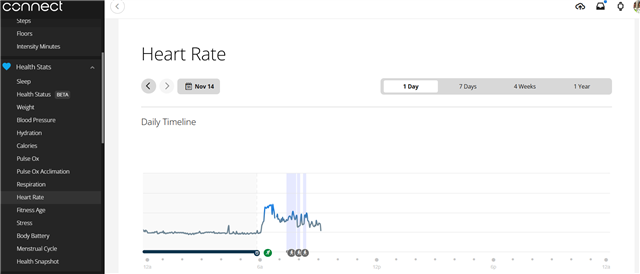
10) (Optional) Navigate to the date you want to see at Heath Stats > Heart Rate
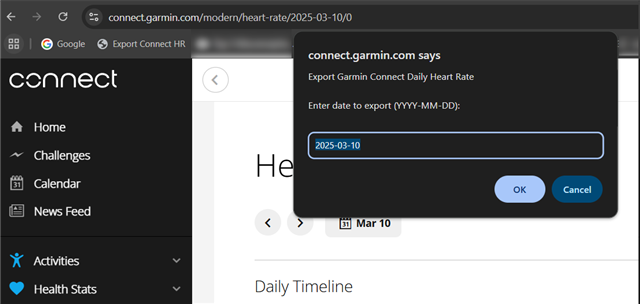
11) Click the "Export Connect HR" bookmark.
12) Enter the date for the data you wish to export. If you are already on the Heath Stats > Heart Rate page, the currently viewed date will be filled in by default.
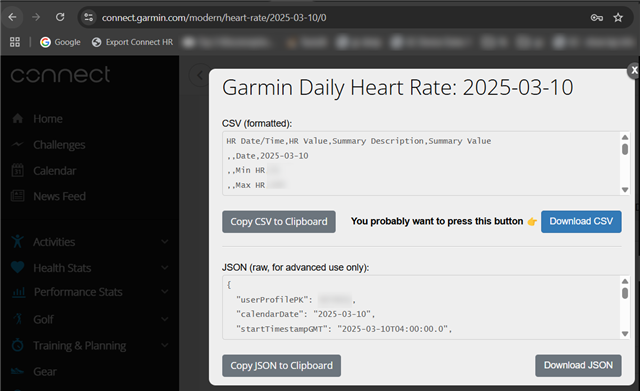
13) A modal will pop up with your HR data.
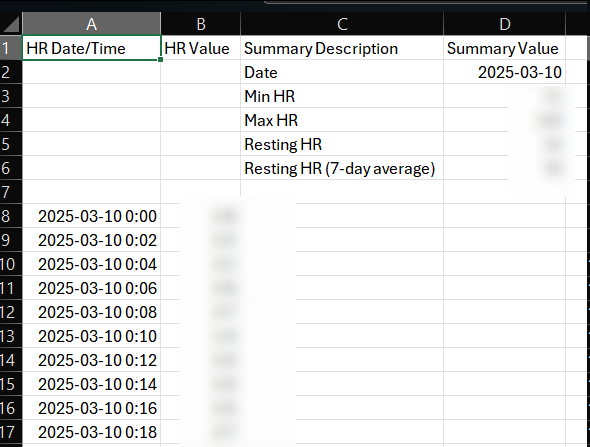
Click Download CSV to download a nicely formatted [*] CSV file.
[* For example, the timestamps in the original data are not human readable or usable by Excel, but the CSV file has human readable dates/times which Excel is able to interpret.]
Now you can open the CSV file in Excel to view the individual data points.
Note that the exported data will contain only one HR data point for every 2 minutes. [Outside of activities, HR data isn't recorded any more frequently.]
wow wow ..... script alchemistry.... it works... thanks.... i have some sleep problems after ultras, and want AI analyze csv stats, but without hr data it is not full....
Thanks so much for doing this. I've run into the issue of the bookmarklet insisting that I haven't logged in, on all 3 browsers I have on my laptop -- Safari, Firefox, Chrome. May I know if I'm missing something? Desperate to export the data for cardiology.
First off, thank you so much for this. I'm currently getting the same error (1), but I am logged in connect.garmin.com. I'm also using a MacBook, though I don't know if that is a contributing factor to the error.
I tested my script on Chrome, Firefox, and Safari on a macbook and it works for me.
Is it possible that when you log into Connect, you're redirected to a different address, like connect.garmin.cn or something? My script specifically looks for connect.garmin.com, so if it sees any other address, it won't work and I would need to update it.
Could you copy the URL from your browser's address bar when you are logged into Connect and paste it here?