New bug in FIT files: empty File ID and no Record messages

At www.fitfileviewer.com, I received many similar corrupted FIT files in the past weeks. I have not seen this type of corruption before, so I assume it is a bug in a recent software update on some devices. Typical for this corruption is:

  • There is a file_id messages, but all values are invalid
  • Many messages are missing, most notably the record messages, but also event, device_info etc.. Summary messages, like activity, session and lap are there. 
  • In several cases, but not always, many messages are duplicates, e.g. there are two identical activity messages, each lap and session appears twice.

FIT File Viewer can now fix these files, i.e. make it possible to import them in Garmin Connect, but of course it cannot restore the missing data.

I have seen this happening on FR 255, 955 and 965, and also in these threads:

  • I did. This is how far I got with their response brushing off the issue

    I'm sorry to hear about this issue, sometimes your Garmin device may produce corrupt files that are unable to sync to Garmin Connect. Several factors can cause file corruption, including but not limited to bad GPS data, power loss, or computer connection failures. If you have followed the troubleshooting steps in this link How Do I Manually Upload an Activity I Recorded to Garmin Connect? and the issue persists, there are several third-party fit file correction programs on the web that may help to correct a corrupted file. However, there is no 100% guarantee that this will correct the file. Garmin does not provide any programs for correcting corrupted fit files, but you can search the web using the search terms “fit file fixer” or “fix fit file”. Please be advised that the use of any third-party tool is at your own risk.

  • And this predictable stupidity is why I think this bug was added to the ever growing list of bugs caused by Garmin software update but never acknowledged as being a bug or being a software bug... this it can't possibly ever be fixed Disappointed

  • I'll just add that even if I don't try to point out why the response is factually incorrect, just by analyzing it it's clear that it's a nonsense. It literally tells use 3rd party fixing tools, and then hints at not using them...

  • I did. This is how far I got with their response brushing off the issue

    I'm sorry to hear about this issue, sometimes your Garmin device may produce corrupt files that are unable to sync to Garmin Connect. Several factors can cause file corruption, including but not limited to bad GPS data, power loss, or computer connection failures. If you have followed the troubleshooting steps in this link How Do I Manually Upload an Activity I Recorded to Garmin Connect? and the issue persists, there are several third-party fit file correction programs on the web that may help to correct a corrupted file. However, there is no 100% guarantee that this will correct the file. Garmin does not provide any programs for correcting corrupted fit files, but you can search the web using the search terms “fit file fixer” or “fix fit file”. Please be advised that the use of any third-party tool is at your own risk.

    I'll just add that even if I don't try to point out why the response is factually incorrect, just by analyzing it it's clear that it's a nonsense. It literally tells use 3rd party fixing tools, and then hints at not using them...

    I assume that you're either referring to "However, there is no 100% guarantee that this will correct the file." or "Please be advised that the use of any third-party tool is at your own risk."

    Not sure if you're being deliberately obtuse or you - once again - fail to understand that this brand of legalspeak is very common coming from companies and organizations. Often it's literally written or mandated by lawyers.

    it's just standard boilerplate saying that they won't be held responsible for anything that happens if you use a 3rd party tool. They're not literally simultaneously telling you to use a 3rd party tool and telling you not to use a 3rd party tool.

    In other words, "wow, so sorry you're having issues! Here's some free advice that may or may not help, but don't hold us responsible if you don't like the results."

    I think it's actually very reasonable to add such a disclaimer (even if I don't like the overall message), otherwise people who are apparently literal-minded to the point of extreme autism will try to blame Garmin if they use a 3rd-party FIT file repair tool and it fails [*]: "but you told me to use a 3rd party tool!" Ofc it's the same kind of literal mindedness that will attempt to dissect a standard response from support where they're just trying to make the user go away (which is basically support's job, whether we like it or not - it's the same rationale behind Garmin replacing hardware for certain issues that are clearly software related).

    [*] Or even worse, if said 3rd party tool collects PII (personally-identifiable information) from the FIT file. For example, activity FIT files contain certain values from your user profile (like age and height) and ofc GPS data (well, at least in the cases that this bug didn't nuke most of the data).

    If you think like a lawyer and assume the worst possible outcome in every scenario, it actually makes a lot of sense to add disclaimers like this.

    Have you never heard of a "legal disclaimer"? Never saw the meme "for legal purposes, this is a joke" (which means that the post in question is actually dead serious)? Literally everybody understands the purpose of such disclaimers - for the speaker to wash their hands of responsibility. We don't have to like it when it comes from a company, but it's not exactly something that's unheard of.

    None of this is defending Garmin for not acknowledging or fixing this bug, but this "analysis" of a stock response from Garmin support with a standard legal/legal-ish disclaimer isn't the epic own that you seem to think it is.

    Probably the people responsible for this response from support aren't even close to the same people who could get the bug fixed.

    --

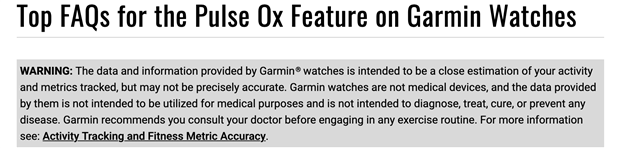
    I think I mentioned this last time a similar topic came up, but it's no different than Garmin offering a pulse ox measurement feature, then adding a disclaimer that Garmin devices are not medical devices. (Bc the pulse ox feature itself is not medically certified.)

    By the same logic, you would say "omg Garmin is telling is to use pulse ox and ALSO telling us not to use it! it's nonsense!!!!11!!!"

  • This happens every time I use course navigation. Vivoactive 6

  • thanks a bunch - had to use that tool for the very reason a couple of times already. Really annoying that you'll have to mitigate issues on a Premium watch ...

  • It simply gets annoying. I have lost 2 PRs because of the corrupt file even though it looked correct on the watch at first and showed the PR. Suddenly it does not upload and I have to use FIT file viewer to fix at least the bare data. For a while I thpught it is related to loss of gps conn action but it is not .I had live track running and it works flawless reporting on my.qctual route in real time. 

    Just annoying thinking how much is spend on the watches. 

  • Don't forget to report it to Garmin, they don't read this forum and they are yet to acknowledge the existence of the bug