Hi,
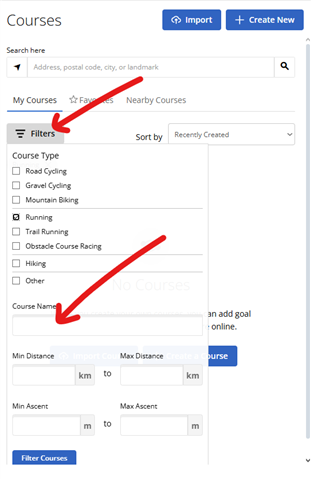
I am wondering how do you actually find your own routes in Garmin Connect Web and iOS? One would think that the answer is: Go to Training and Planning | Routes and pick it.
However, my problem is that I have literally hundreds of routes all over Europe in there and so far, I have not found a practical way to retrieve the specific one that I am looking for. The web search only allows me to search for locations and then shows the routes in that area. That is not really practical, as I frequently don't remember what town was close to that route. I would need to have some other app where I can look at the route to see what city/town is close just to find it in the Garmin systems. Not really an option, is it? You're completely out of luck when you try to search for geographic points (like mountain peaks) or even parts of the name of the GPX track.
The iOS app is troubled with the same problems but is even worse: the app keeps on bothering me that the maximum number of routes is being shown (I wonder where, because I don't see any?). There is a search field but I have not found out what that is for. No matter whether I enter a city, town, part of a track name, I never seem to be able to find a single result.
Thus, back to my initial question: how do you actually find a route that you have planned 10 months ago? Or are Garmin watches only used by people that are always running the same track and have only 5 entries in that list? How is this meant to be used?
Thanks!