This discussion has been locked.
You can no longer post new replies to this discussion. If you have a question you can start a new discussion

Vivosmart 5 - Walking not registering as standard in Garmin Connect App

I got a Vivosmart 5 for Christmas. This is my 6th Garmin 'wearable'. All previous ones, 'Walking' appeared in the Garmin Connect app as standard, I didn't have to do anything manually. 

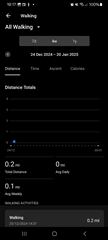
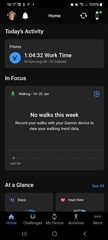
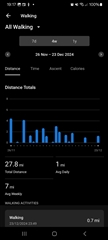
My new Vivosmart 5 registered one walk on Christmas day at 14.37 and has failed to register a single walk since. I know I can record a walk manually which is fine when specifically going for a walk for exercise/leisure purposes, but I don't want to have to manually set it every time I walk from A to B. I've checked all the settings/activities etc. in the app. I've restarted the watch, but to no avail. 

Has anybody else experienced this is    sue with this device and know how to resolve it?
  • Yeah, enable MoveIQ and Auto Activity Start 

  • They are both enabled.

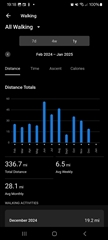
  • Well, there are no steps in January either, if I see correctly. Does the band show any steps on its display when you walk? If not, then it is probably defected. If the master reset to factory defaults does not help, then I recommend reaching out to the Product Support through their website at https://support.garmin.com.  

    And if the band does count the steps, then it looks like the syncing does not work correctly. In that case I recommend to Remove and Add a Device From the Garmin Connect App | Garmin Customer Support, then log a few minutes of steps, and see whether it helped. If it helps, then only with new data, though.

  • Further to my emails (apologies if this is a repetition, however it may be useful for other owners of Vivosmart 5 who may experience a similar problem, to be able to see this). The band shows 'Steps' but not 'Walking', which are two different metrics. However this morning I activated a walk manually and this was visible in the app, but on my return I did nothing and it recorded my return walk automatically. So maybe users have to first record a walk manually for it to then start recording walks automatically? I will monitor over the next few days.

    Upddate 24/01/25. I went out on Tuesday evening and yesterday and all four walks were visible on the app without me having to do anything, so I can only assume starting a walk manually on the band on has somehow resulted in 'Walking' recording automatically in the app since, so it would appear, problem now solved.