This discussion has been locked.
You can no longer post new replies to this discussion. If you have a question you can start a new discussion

My watch will not let me manually turn off my sleep

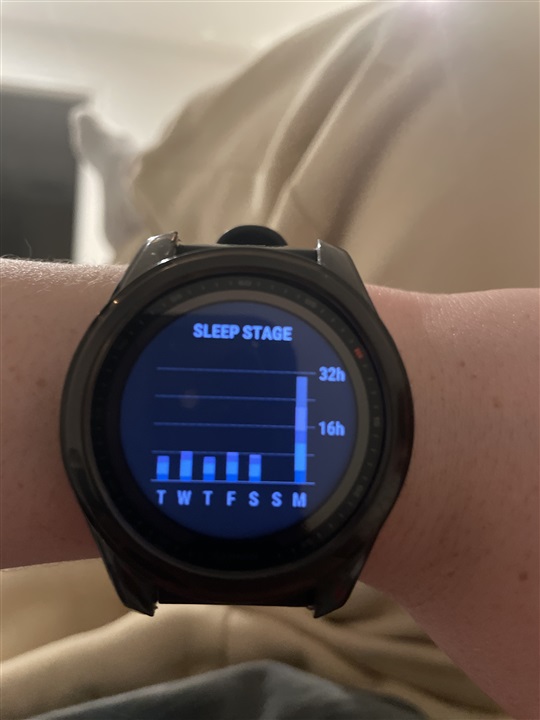
My Garmin has stayed in “sleeping” mode all day today and will not let me turn it off. Not sure what to do. When I go into hrv status and sleep score it says sleeping and will not let me turn it off even when I click end sleep   Please help - it says I’ve been sleeeping for over 20 hours 
  • How are your Bed & Wake Up times set? Did you change the time zone on that day? I do not know which model you own, but on my watch, I can stop the Sleep Mode by pressing the GPS button (as if I tried to start an activity).

  • Hi, I have no changed my time zone today or yesterday. I own a Fenix 7s. When I try to start an activity is asks me to end sleep but when I click the button associated with the green tick nothing happens -exactly the same thing as shown in the video I posted. Very frustrating. 

  • exactly the same thing as shown in the video I poste

    QuickTime videos are unsupported by most browsers. A more common format as mp4, mpg, avi, wmw woud work

  • Try resetting your watch - first sync the watch with GC, then press and hold the Light button for some 30s till the watch shuts down, then restart. No worry, no data will be lost, it just force-restarts the watch.

  • Ah it won’t let me add in any other format 

  • This fixed it!! Thank you