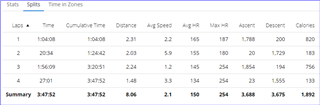
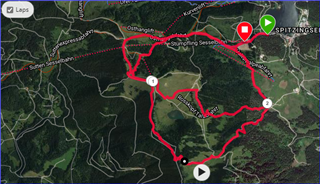
Tried to upload the fit file of todays Backcountry Ski activity.
It didn't work via IOS App and even when I try to upload it manually I get a error message.
Attached the file in case anyone has a tool to fix it:
Thanks in advance for any suggestions
Tried to upload the fit file of todays Backcountry Ski activity.
It didn't work via IOS App and even when I try to upload it manually I get a error message.
Attached the file in case anyone has a tool to fix it:
Thanks in advance for any suggestions
This will work for you - 2021-01-03-07-27-51-fixed.zip
Unzip the file then import into Garmin Connect using the import data page.
Repaired using Fit File Repair Tool. For future reference, FIT File Tools would…
Sure, the one I created out of mine with fitfiletools are containing the data.
So I guess the information is still available in my corrupted fit file I used with fitfiletools where I removed the corrupt…
This will work for you - 2021-01-03-07-27-51-fixed.zip
Unzip the file then import into Garmin Connect using the import data page.
Repaired using Fit File Repair Tool. For future reference, FIT File Tools would have also fixed this FIT file, at least partially.
Some tips to help minimize the occurrence of corrupt fit files:
Thank you so much!
Unfortunately it's not containing the laps anymore.
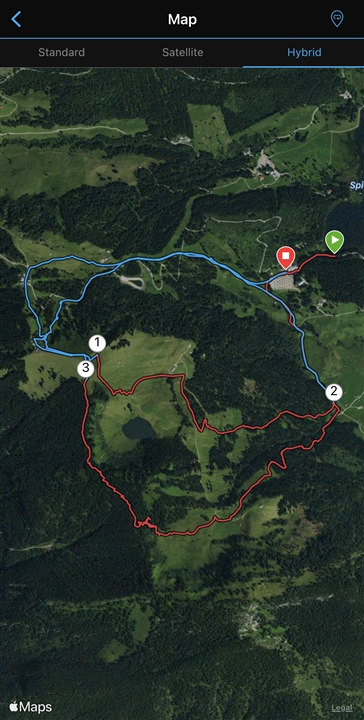
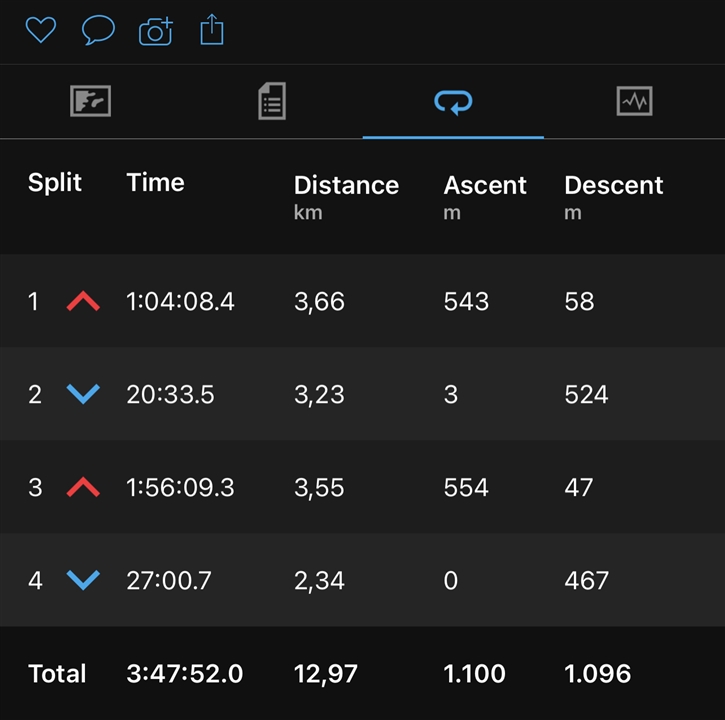
With Backcountry Skiing you'll see the difference on the track for climb and downhill as you select different tracks.
I tried with FIT File Tools and selected Section Remover to removed the section which had corrupt HRM data.
In that case I could download and import it but lost my training data (Aerob/Anaerob...).
Seems with FFRP you can keep this data but in that case you can't keep the Laps.
An ideas for keeping the laps in addition?
No worries if it's not working. You helped me already quite well and it's better than nothing :-)
Unfortunately it's not containing the laps anymore.
What are the laps supposed to be? A specific distance or time? Fit File Repair Tool can fix just about anything, but I would need to know what exactly is missing. Thanks.
It looks correct on your spreadsheet.
However, after importing it on Garmin Connect it‘s somehow lost.
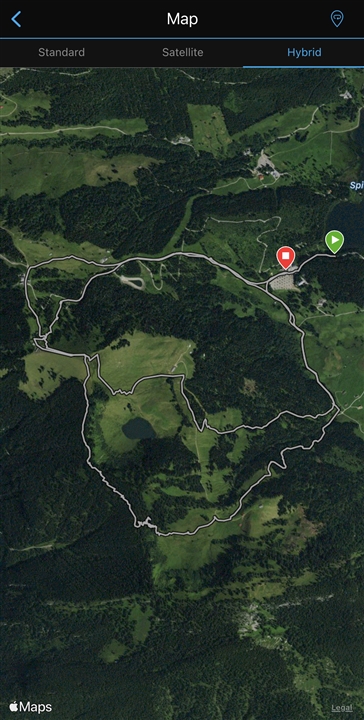
You see it also in the screenshot of the GPS tracking, it’s grey instead of blue/red for climb/downhill.
Probably there is an additional flag per lap to classify or so... did you export the laps in your fixed version of it?
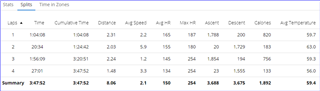
This is how it looks like when I import your fixed file vs my initial screenshots:


Understood, but I'm looking at Garmin Connect Web, which is where the screenshots below were obtained.
Tested by uploading to my own account. Map track and splits/laps appear normal.


Could you send a link and/or a FIT file from one of your Backcountry skiing activities that looks correct on your iPhone?
Sure, the one I created out of mine with fitfiletools are containing the data.
So I guess the information is still available in my corrupted fit file I used with fitfiletools where I removed the corrupt the section in the middle with invalid HRM data.
fitfiletools-3.fit.zip
BTW, I guess the file got corrupt when I disabled and reenabled the ANT+ connection to my HRM-Tri as it showed shortly heartrates > 186bpm.