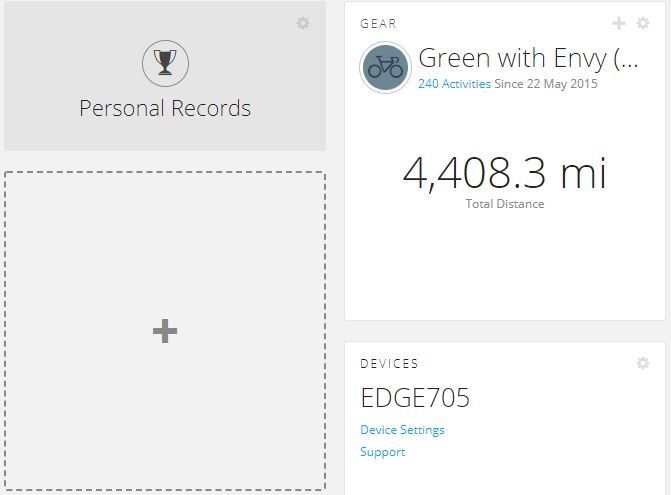
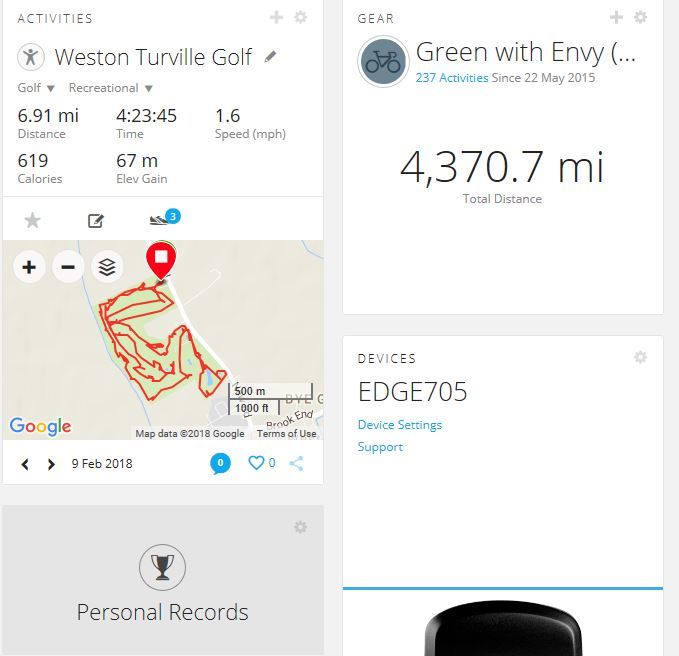
I use Chrome Version 65.0.3325.73, when I try and view my activities under Chrome (my usual browser) I no longer see the Activities box. But If I use Edge I can see them . Whilst I can obviously use Edge, it will be the only activity I use it for, I much prefer Chrome, Any ideas? Apart from (use Edge) I attach two screen shot clips...one from Chrome and one from Edge ciq.forums.garmin.com/.../1310909.jpgciq.forums.garmin.com/.../1310910.jpg
The first screenshot – presumably taken of the Chrome browser application window – shows an activity count of 240 since 22 May 2015, while the second screenshot show an activity count of only 237 since the same starting date. To clearly show that the Activities widget is present and rendered for the same dashboard in one browser but not the other, perhaps you should upload a screenshot with two application windows for the respective browsers side by side displaying the same dashboard page.
Have you changed the dashboard design (i.e. removed the Activities widget from it), intentionally or inadvertently, in the days between when your two screenshots above were taken? Have you tried adding a/another Activities widget to that dashboard in Chrome?
Are you running a beta version of Chrome? On my PC I just updated the browser and it's version Version 64.0.3282.167 (Official Build) (64-bit). On my Chromebook I'm on 63.xxxxxxx. Both of them display my activities.