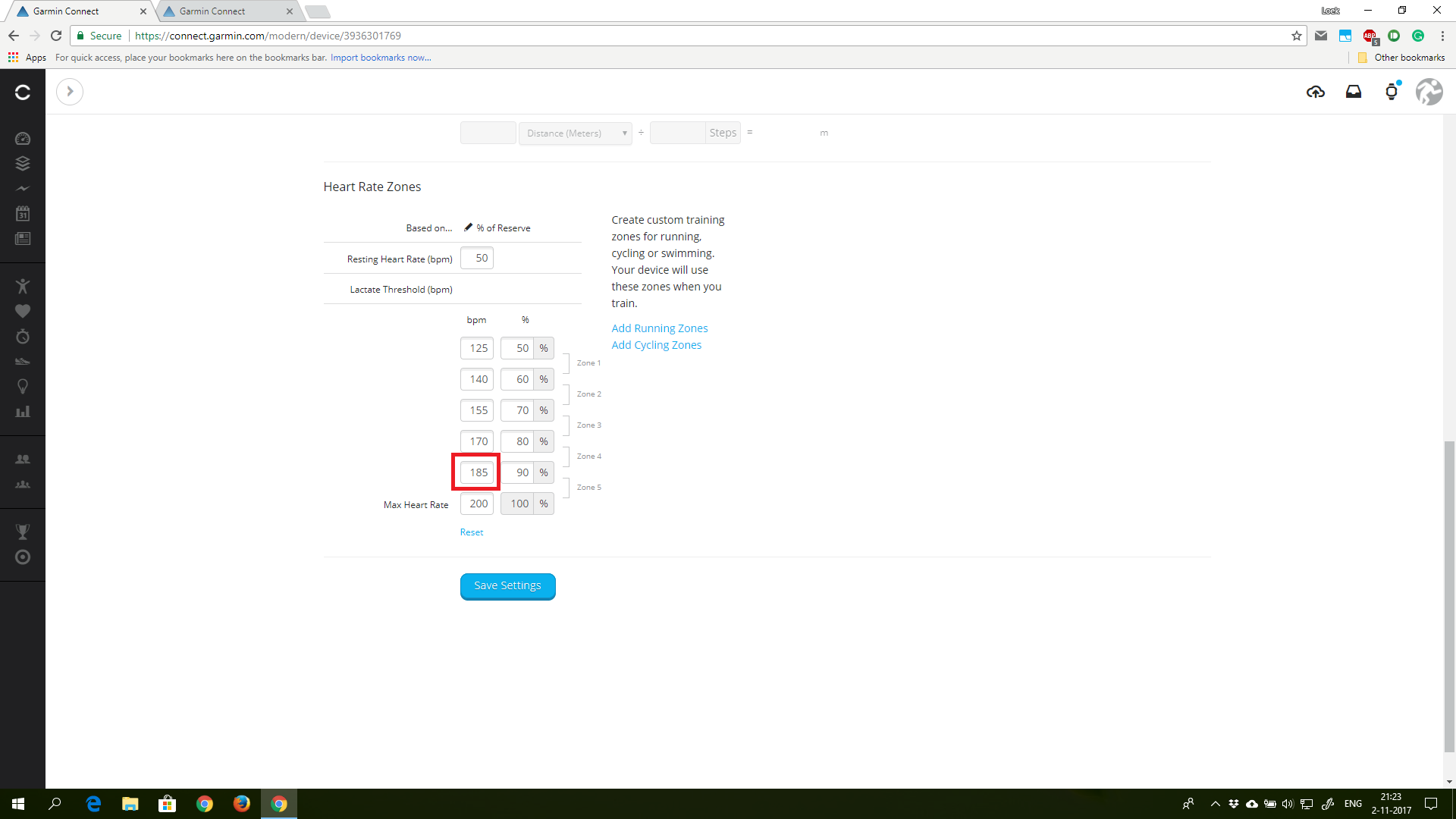
Today I noticed that GC is not applying the user HR zones. See in the examples below. In Fig. 1 I set my own HR zones. You can see that zone 5 means a HR of 185 or higher. However, in the activity page, it shows that zone 5 is a HR of 167 or higher (see Fig. 2), which is incorrect. This results in wrong 'Time in Zones' charts. Is this a bug?
The time-in-zones information for a timed activity is written into the activity record by the device, at the time the activity is completed and saved, so the HR zones' thresholds for any given activity are (i) as known to the device at the time of the activity, and (ii) also written into the activity record for reference.
Changing the HR zones in Garmin Connect does not alter the time-in-zones information in an activity record; there is no post-processing of the data upon upload/import of the FIT file, and there is no re-evaluation of such information for activities that are already in GC's database for your user account.
If you've synced the HR zones information showing in Fig.1 to your Garmin wearable device, and the next activity you record on it continues to show the wrong HR zone thresholds in the Time in Zones chart, then there is a defect somewhere.
Thanks, that might have been the issue indeed. On my watch the HR settings were not synced with the user settings on GC. I've synced now, and I'll test next time whether the metrics are correct.
Mm, after the update to v7.6 the HR settings do not seem to sync anymore to my FR235. I tried syncing with GC and it says the sync is successful. But the HR settings did not get copied over to the watch (it still shows the default values). Are more people suffering from this after the v7.6 update?