I run with a Forerunner 410. About two weeks ago I encountered the problems outlined in the following forum thread -
https://forums.garmin.com/showthread.php?357331-Time-data-from-gpx-files-not-seen-by-GC
Following the notification to the thread that the site had been updated with a fix, I followed the instructions to export, delete and re-import the affected activities. As expected, that resolved the problem, and I've had many runs since where the uploaded activities displayed as expected.
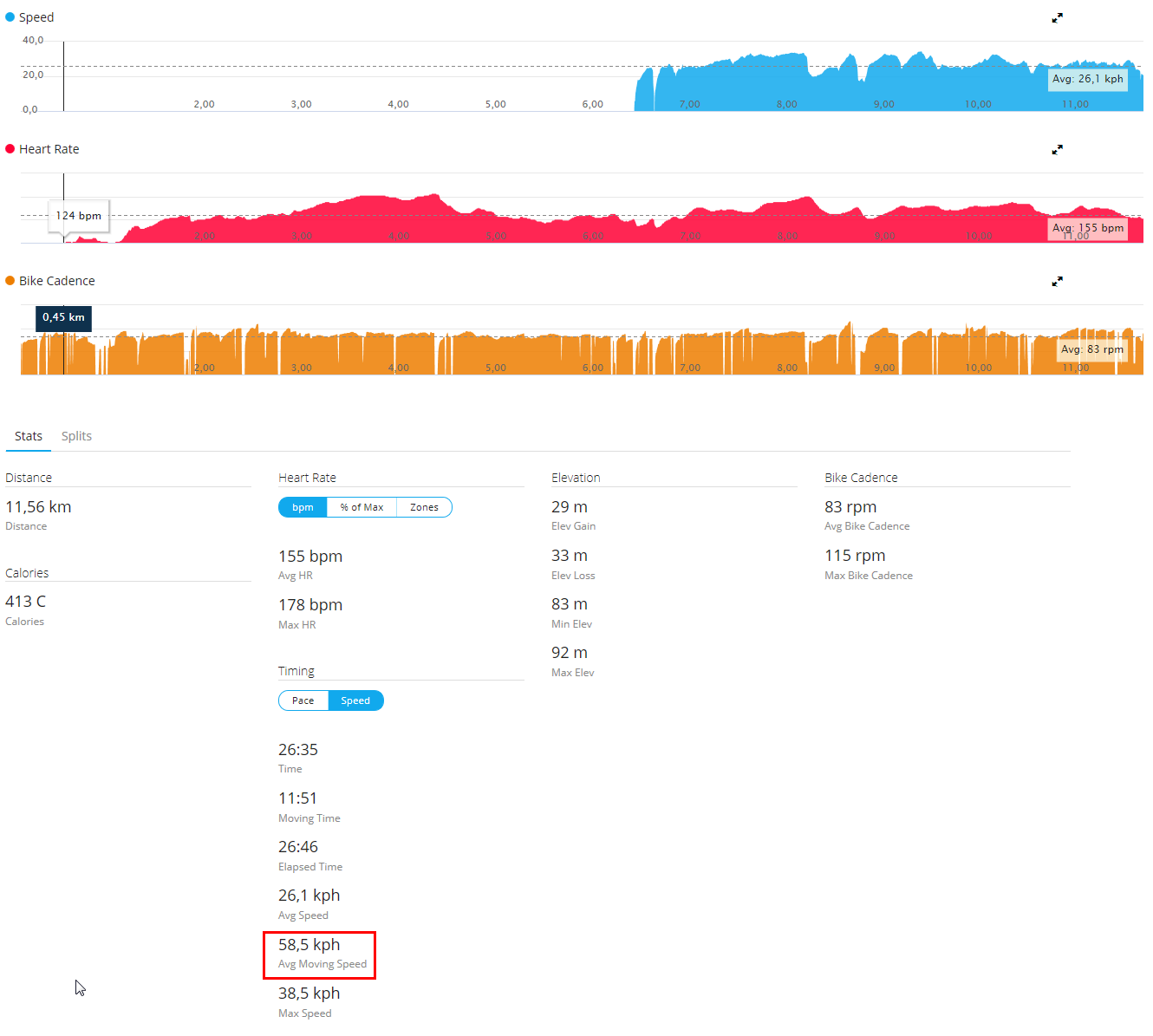
However, I ran on Sunday, and the activity does not display as expected. I ran for 15.0km. I ran without pausing for the first 14.5km, then paused the watch for several minutes, and resumed for another 0.5km of running, before ending the session. The pausing activity may be relevant - I don't normally pause mid-activity, and this is the only time I've done it since the fix for that other issue went in, and the only time I've had a problem.
Here's the link - https://connect.garmin.com/modern/activity/1307131773
The pre-pause splits all show a moving-time of 0, while the split that spanned the pause shows a moving time of 2:22 (which was the post-pause duration).
The activity displays as follows - when graphing 'over distance' the elevation and heart-rate profiles are as expected, but the pace is a flatline of 1:00:00/km for the first 14.5km, and then shows the actual pace I was running for the last 0.5km (between 00:04:30/km and 00:05:00/km). The x-axis on all of those graphs correctly runs from 0-15km. When graphing over time, the x-axis only runs from 0-2:22 (rather than the 0-1:21:41 you would expect), the elevation and pace graphs are flatlines (apart from an initial brief ramp), and the heart-rate is a slowly rising straight-line.
This definitely seems like a Connect issue rather than a watch malfunction - I ran again today (without pausing) and the uploaded activity was as expected. I also uploaded the problem activity to another fitness site (not sure if I'm allowed to mention it by name, so I won't), and it displayed correctly there also. It may be related to the issue that occurred earlier this month and that seemed fixed, but I'm not sure, so I've opened a new thread in case it's different.