my skiing activity cant be edited.
Yes, it can. Just change the activity type to cycling or running (top left above the name of the activity), trim it, and then change the type back to skiing…
Click on this icon:

![]()
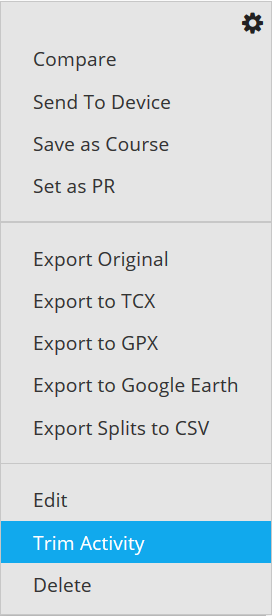
And this menu will appear:

You're wrong.
You can now trim an activity.
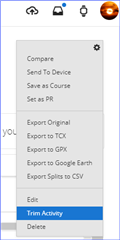
Open an activity, click the gear wheel icon at the right side of the screen and select Trim Activity from the drop down list.
Then adjust the slider(s) and…
Hi - thans for the reply - I created a copy here https://connect.garmin.com/modern/activity/7400157894 and made it public. I was unable to upload the FIT file - error "The file or URL is not allowed to be inserted". I'm obviously missing something here!
I was unable to upload the FIT file - error "The file or URL is not allowed to be inserted"
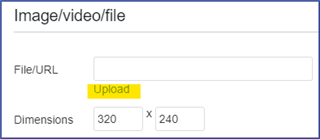
Zip the .fit file, then in a reply post Insert >> Image/video/file >> click Upload

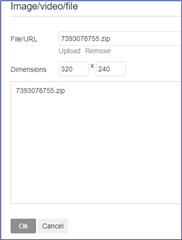
browse for your zipped file >> OK.

Or upload the fit file to a file sharing service, such as OneDrive, Google Drive, Dropbox, etc., make the file public, then paste a link to the file in your post.
What device did you use to record that activity?
Yes. Good question.
Also, even though shared publicly, only the account owner has access to the FIT data and can "export original."JanC will need to share the fit file as mentioned above for us to be able to analyze it.
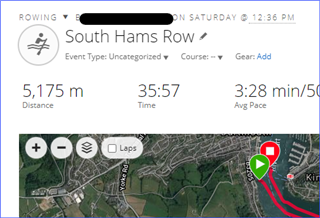
Hi, I did that and I didn't get the option - Running Chrome on Windows 10. However. I just tried again and the Trip option has appeared! So I tried it and the problem with doing this is I have now lost all my Rowing specific data such as Stroke Length and Stroke rate. There is a warning when you switch the exercise type that data loss can occur. Seems this is a very blunt work around and far from a solution.