Training effect and intensity minutes gone completely

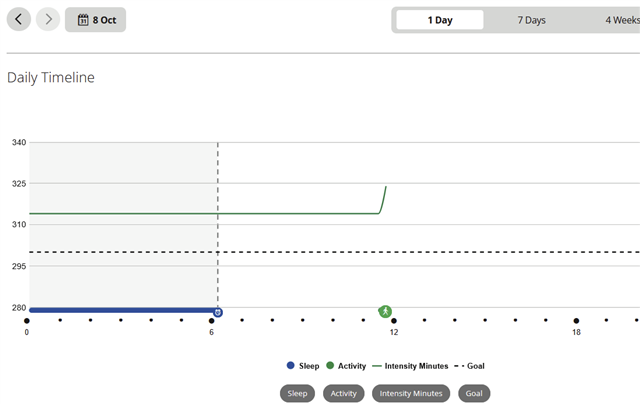
So I had a 60 minutes run yesterday. It kind of record as intensity minutes, but did not upgrade the graph. It shoes up in garmin coach, as exercise load, in News Feed, but not in Training Load, see below. This morning it has not shown up either. As someone mentioned a time zone issue I set my date to tomorrow, but it also didn't fix this problem: Yesterday's run, and a short walk are just not connected to the intensity minutes graph, exercise load graph, vo2 max graph and the load anymore (but are listed in the Training effect section under exercise load with a load) and Garmin tells me to collect 14 days of data to get the info. While I've been exercising for months nearly daily. 

Note, I still use the very old app as the tile app doesn't work with a visual impairment of mine. Press light - restart the watch didn't do anything, neither did changing the date on my phone. No iOS or any other updates installed yesterday.

  • See my comment at  Training Status and Intensity Minutes gone, except of the note about VO2max value, since in this your post I see the value is there all right. If there were some problems with the correct date or time on the watch, it may well be the culprit of the ATL reset.

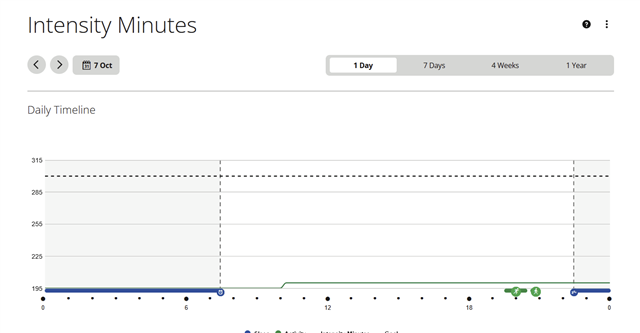
    As for the Intensity Minutes - how does the all-day HR graph looks like for that day? Could you post a screenshot of your IM settings too? Also, please double check in the HR settings whether your current 7 days average Resting HR, the Max HR, or the LTHR did not change significantly.

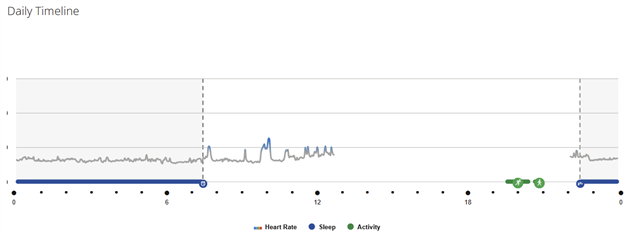
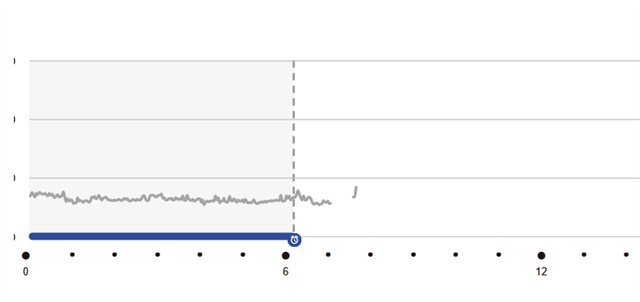
  • Oh, you're on to something here! HR did not record for most of the day! I just phoned with garmin support and the guy said all looked fine on his end, including HR. I don't have HR! And there's another gap in the data this morning! Is it an HR sensor issue after all? No substantial changes in other HR metrics over the past 2 weeks. Was on summer vacation before and then data is always a bit whacky, but that's never been a problem with my fenix and connect. 


  • Ok, probably more than a simple HR sensor issue: Live data is displayed in the app and the whole HR plot is present inside the watch, but HR data does not get processed in app/website anymore. That's more than just a faulty sensor issue. 

  • And another update: I caved in and installed the latest app version on an old device.. Didn't fix the issue either. 

  • Live data is displayed in the app and the whole HR plot is present inside the watch, but HR data does not get processed in app/website anymore.

    If the HR data graph is available on the watch, then it is not a problem of the sensor, but rather the monitoring data failed to sync to Connect. Hard to tell why, there may be multiple reasons - watch crash during the syncing, or an USB disconnection (if you synced over the cable), or some Bluetooth issues, or a corrupted file with the monitoring data, or a date/time discrepancy between the watch and the phone, etc. You could check the Debug folder on the watch - there is an error log, and a Dump or Ram subfolder with RAM dumps, where you could find traces of a crash at the critical time.

  • I caved in and installed the latest app version on an old device.. Didn't fix the issue either. 

    Check out the /Garmin/Monitor folder on the watch. If there is no data from the concerned day, the data is lost. And once the data is lost, there is no way to recover it.

  • ... and yet another possible reason is a corrupted association of the watch to the Connect account. Try to Remove and Add the Device From the Garmin Connect App | Garmin Customer Support. It won't restore the data, but it may prevent it happening again. More detailed instructions and some more tips are in the Troubleshooting guide for (some) data missing after syncing. 

  • Ok, this does not look good. 


    First attempt with aftermarket USB-C charger (I always sync via bluetooth): The Garmin folder is empty. 
    Older aftermarket charger via USB-A: No Garmin at all
    Original charger with USB-A: no Garmin at all. 
    All charge the watch, btw. 

    Hard restart a second time and I got some folders with the USB-C Charger, see image. So a partially bricked watch? Btw, all folders are empty, 
     No music or specialty maps on the watch. Just my current workouts (theoretically) and a few custom strength workouts. 

    edit: second attempt: another restart and now the GARMIN folder is empty again. 

    edit: third attempt: now all folders work. And at least the folders I checked in Garmin contain data, including all activities. 

  • So, these are the files I have inside the Debug folder. Will look into this a bit later. Need to work a bit now. 

  • Fixed!

    I think the watch was bricked. So I hard restarted it a few more time, and deleted it from the app, reconnected (which took a lot longer than it should have) and now the missing data is back. Well, the Intensity minutes and HR data is properly gone, but my workout data is working again. And it records properly now. As I tested with a walk to the supermarket around the corner Smiley