


"Load Ratio" graph has incorrect colors if you press "Chronic Load" button. Notice how it says "Optimal Range" should be dark grey, but it's green.
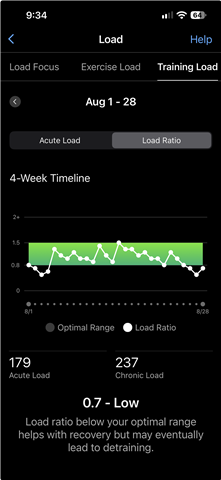
Repro steps:
- Go to "Training Load" page
- View "Acute Load" Graph
- Press the "Chronic Load" button to toggle the graph
- Notice that the legend has changed (Optimal Range went from green to dark grey and acute load went from white to grey)
- Toggle to the "Load Ratio" graph
- Notice the legend incorrectly shows the acute load graph legend color.