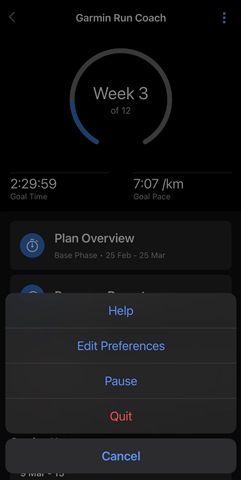
Hello,
I have tried to set up a Garmin Coach running plan. I succesfully completed the benchmark run. After the benchmark run, the watch (and not the app) showed the scheduled runs and an overview of my training plan (base, peak, etc.). The morning after the benchmark run, the scheduled workouts were still there. But in the afternoon, all of a sudden, a new benchmark run appeared for today, and the training plan is gone. The benchmark run is also scheduled on my scheduled rest day (which is today).
I came across this problem last week. I deleted the plan and the event from my calendar and started a new plan. The same things happened.
A couple of things I have tried so far:
- I ran the consecutive benchmark runs. Nothing happened.
- I changed the training goal from automatic, to heart rate, to pace. Nothing happened.
- I paused the training plan and restarted it. For a few seconds, I saw my scheduled run (base run) on Saturday! Yay! But after synching with my watch, the run disappeared. The benchmark run for today appeared again. Then, nothing happened, training plan still gone.
- I reinstalled the app. Did not work.
- With every step, I synchronised my watch. Did not work.
My watch is not new. It contains 5 years of training data, and I have been training regularly for the past months (3-4 times a week).
I would really appreciate the help; I would like to start training for my event. Thanks!