I am new to Garmin and just got my watch a couple weeks ago.
I am really enjoying the watch and it's features, but the phone app is a different story.
I feel like the ways to record activity is really confusing.
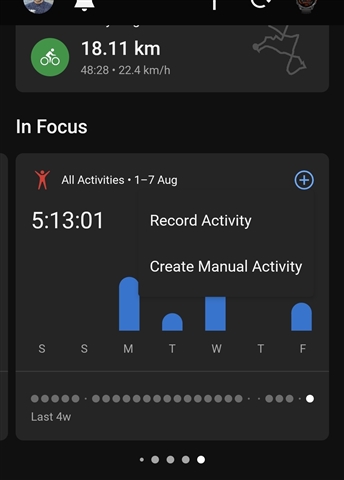
So recording activity with the watch works very well, but the only way to record activity with the phone is by choosing "Create Manual Activity".
If I want to try to start recording an activity, I try going to "All Activity" > "Record Activity" > And from here, I try to choose like running, meditation, etc. But when I do, all I get is a blank screen (see screen shots).



I have an S22 Ultra with the latest firmware update.
I already:
- Logged off and logged back in.
- Rebooted phone.
- Cleared app data and cache.
- Uninstalled app + reinstalled.
Nothing. The only way I can record is with my watch.
Is there really no way to actually start a recording on the phone or is this just glitch nobody can fix until a patch comes out?