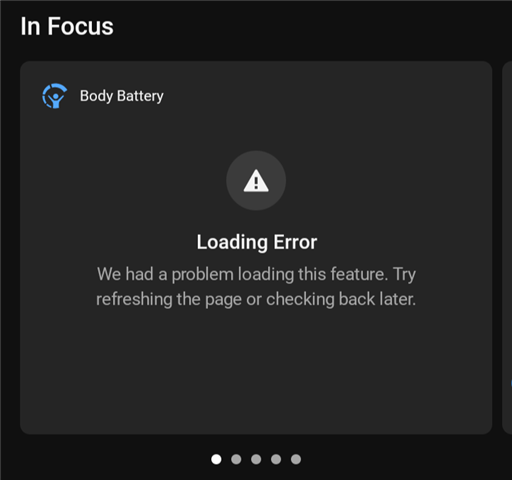
I have updated now the app and when I start it, I have many data with load error
I’m seeing the same thing, but if I access the data, using the web based version of Connect or the app on my iPad, I see all the data, with no load errors.
This seems to be an Android app issue…
**** I just discovered that if, in the Connect app, on my Android phone, you go to:
More->Health Status->Body Battery
You can see the body battery data and chart. So, for whatever reason, the data…
I’m seeing the same thing, but if I access the data, using the web based version of Connect or the app on my iPad, I see all the data, with no load errors.
This seems to be an Android app issue.
I turned it off, and everything works unless I turn it on again
Great testing by Garmin - again.....
**** I just discovered that if, in the Connect app, on my Android phone, you go to:
More->Health Status->Body Battery
You can see the body battery data and chart. So, for whatever reason, the data’s not showing up on the Home Page “In Focus”, but shows up in the Home Page “At a Glance”, when I added it.
**** I just discovered that if, in the Connect app, on my Android phone, you go to:
More->Health Status->Body Battery
You can see the body battery data and chart. So, for whatever reason, the data’s not showing up on the Home Page “In Focus”, but shows up in the Home Page “at a Glance”, when I added it.
I’m seeing this error on my Body Battery, on a Vivoactive 5.
I have an Android phone and found that a new version (5.27) of the app was available as of the July 17th. I deleted my old version and installed the new version.
I still have the issue. “Loading Error” instead of a body battery graph.
The data is getting uploaded to the Garmin servers, because when I open the Garmin app that’s on my Apple iPad or use the web based version of Connect, I can see the body battery graph.
I think this is a Garmin problem……

**** I just discovered that if, in the Connect app, on my Android phone, you go to:
More->Health Status->Body Battery
You can see the body battery data and chart. So, for whatever reason, the data’s not showing up on the Home Page “In Focus”, but shows up in the Home Page “at a Glance”, when I added it.
Can you share some screenshots of what data you are missing and where?
This problem was fixed about the same time that 5.27.1 was released. Although, even after 5.27.1 was installed, the problem still remained for several hours.