hrm 600 "Recording activity, swimming" internally

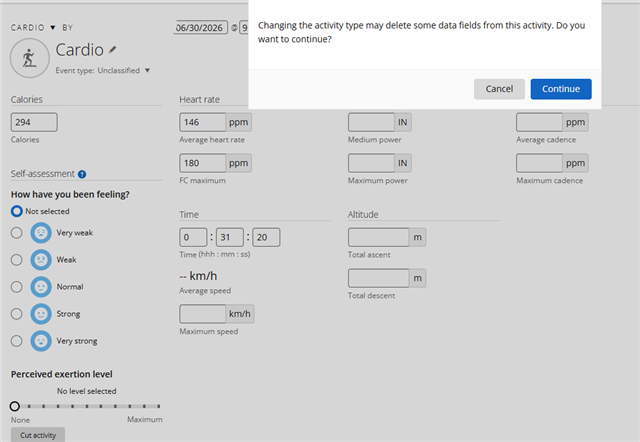
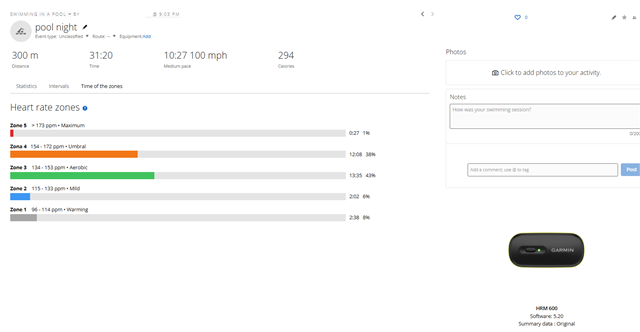
I've noticed that when I use the HRM600 without my phone, and I set it to record internally, the Garmin Connect app asks me what activity I'll be doing. There are several options, but swimming isn't listed. I bought it mainly for swimming. If I select another activity or cardio, it won't give me calorie and other information. Once the activity is saved, I'll have to go to edit and change it back to swimming, but I'm sure a lot of data will be lost from the recording. Do you plan to add swimming as an activity so I can record it without the watch or my phone?

Thanks

  • You already asked in the thread HRM 600 5.20 and got an answer there, so just let me repeat that if you want to have Swimming added as a directly selectable option in Connect for HRM 600, you can suggest it to Garmin at Share Ideas | Garmin. And as written in the other thread, in the time being you can either start Swimming on a Garmin watch (if you own one), even if you do not want to wear it during the swim, or you can record it as Cardio, Custom, or any other sport, and change to Swimming later in Garmin Connect.

    If I select another activity or cardio, it won't give me calorie and other information.

    It will give you all information that can be derived from the heart rate and HRV, including Calories, etc. You won't get any map as at an OW Swim with a watch, distance or the number of pool lengths, and you will not get any stroke type detection, but for that you need a watch anyway. HRMs only support Running Dynamics, they are not capable of analyzing swimming, as wrist-worn watches can do. 

    Do you plan to add swimming as an activity so I can record it without the watch or my phone?

    Nobody will tell you here. We do not know, and Garmin as a publicly traded company never reveals any future plans in other way than through official press releases.

  • I wrote it as an idea, thinking that the people at Garmin are interested in improving their products and read our comments.

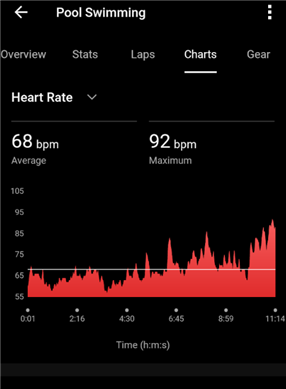
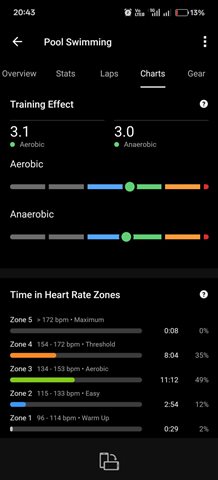
    And it's happened to me that I save it as something else, and when I record and edit, the heart rate graphs disappear... it's quite annoying.

    And yes, I created a new thread, thinking that no one would reply in the other one.

    Thanks anyway

  • thinking that the people at Garmin are interested in improving their products

    Yes, indeed they are, and that's why they have the "Idea" submission form. There, they can easier make statistics, and prioritize the most frequently requested suggestions. Here on the forum, there is no certainty anyone from Garmin will see it, and even if they do, they will just tell you to submit it as an idea, too.

    And it's happened to me that I save it as something else, and when I record and edit, the heart rate graphs disappear... it's quite annoying.

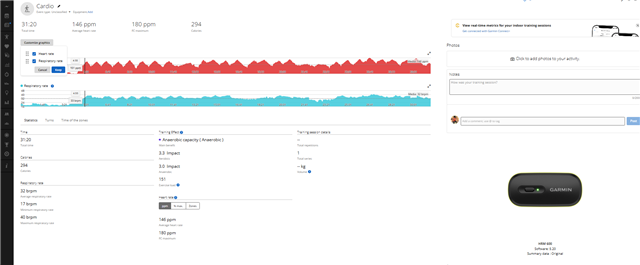
    The HR graph does not disappear when you change the activity type. I tested it before advising. I started Cardio on my HRM 600 from the Connect app, saved it, changed the type, and the HR is still there. I tried both Pool Swim and OW Swim. It works with both of them as expected.

  • I can visualize it that way, I'd like to see it like yours, do you know what I should do? THANKS

  • Please open the activity in Garmin Connect Web, export if from there as the first export option in the menu under the cogwheel icon top right, and then post the file here (drop it into the message here). I will try to find out why it does not show the HR.

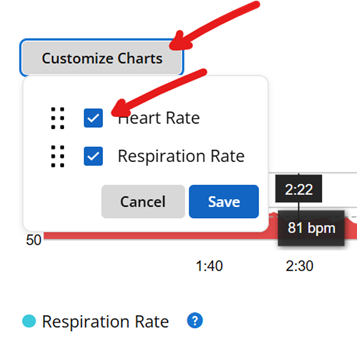
    Also, when you open the activity in Connect Web, verify that the HR graph is enabled.

  • When I uploaded it as just cardio, when it's swimming... Now I'll change it to swimming, to see how much it changes.

  • It still shows it to me the same way as before... at least it warns me that information will be lost... the question is why this happens...

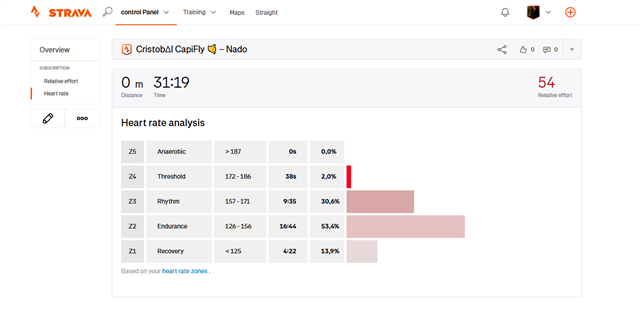
  • with strava happen the same, lost all the info until u edit the activity. And now you show it like this...

  • Strange, I can change the activity type there and back as much as I want, and the HR stays always. Do you have a swimming activity in Connect recorded by a watch, or you do not own any Garmin watch at all? If you have a Pool Swim activity recorded by a watch, please open it, and verify there, whether the HR graph is enabled under "Customize Charts". If you do not have any watch, import the dummy Pool Swim activity attached below (unzip, and then drop the FIT file on the page https://connect.garmin.com/app/import-data ). Check whether the HR is available there. 

    23438907087.zip

    Also, please export your activity, and post it here (simply drop it into an opened new Reply message; must be zipped).