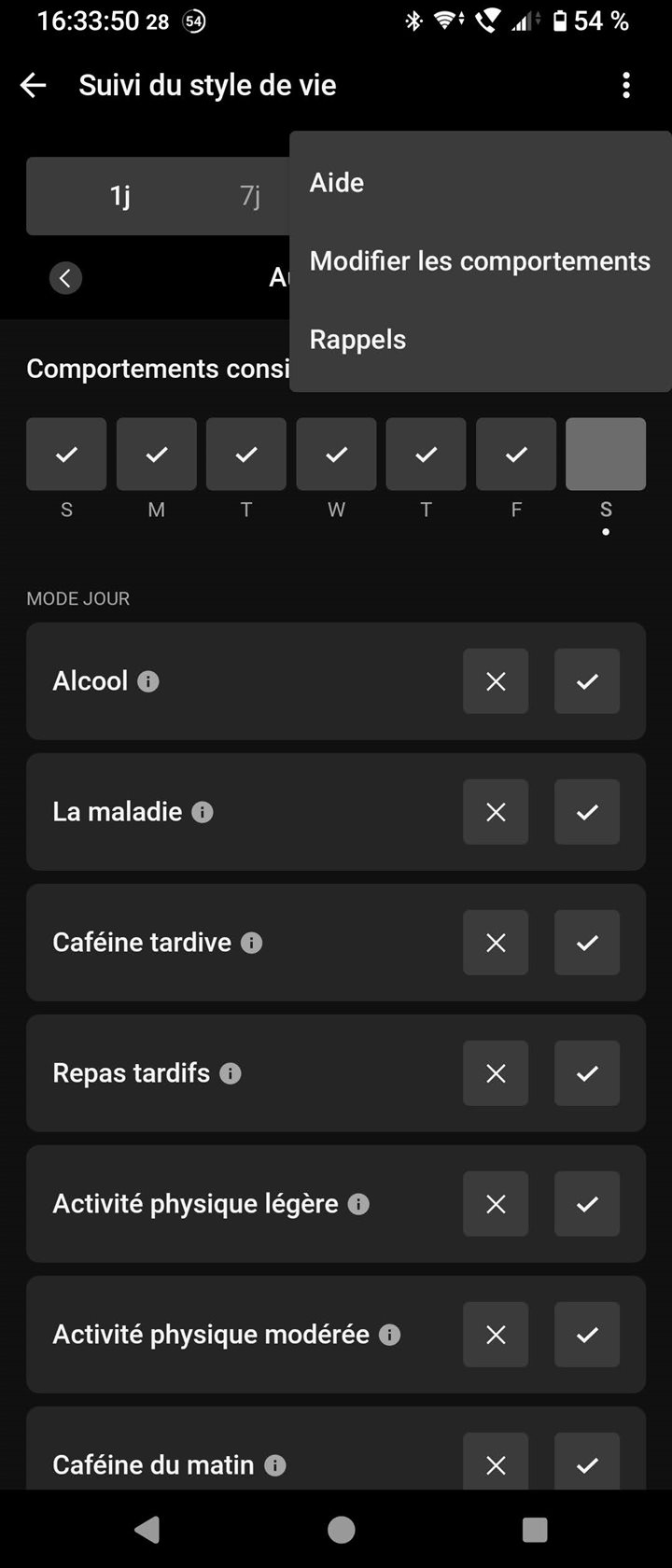
On iPhones, there is an option to automatically log activities. Where is this on Android?
Menu » Health Stats » Lifestyle logging » Enable Auto-Logging (if not discarded yet from the top of the screen)
or
Menu » Health Stats » Lifestyle logging » triple dot menu » Settings…
First of all, when the auto-logging is not enabled, the option appears at the top of the Lifestyle Logging screen. If not, then it is under Settings (2nd item in the tripledot menu)
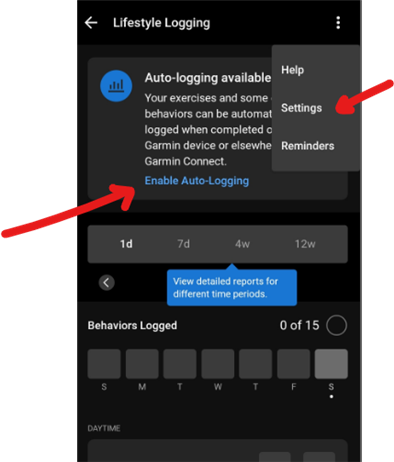
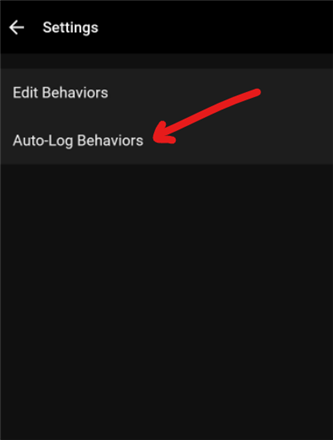
OK, sorry for trying to help without knowing what you already tried and what not. You indeed better stay off the forum, if innocent troubleshooting hints injure your ego.
Menu » Health Stats » Lifestyle logging » Enable Auto-Logging (if not discarded yet from the top of the screen)
or
Menu » Health Stats » Lifestyle logging » triple dot menu » Settings » Auto-Log Behaviors
Actually, I can't find that option... (GCM Android 5.19.2)
Actually, I can't find that option
Which one exactly? Lifestyle logging? triple dot menu » Settings? Auto-Log Behaviors?
Do you have a HRV-capable device paired with the respective Garmin Connect account on that phone?
Lifestyle logging is present, but no "Settings" under triple dot menu.
F6 X Pro and F8 51 amoled paired

First of all, when the auto-logging is not enabled, the option appears at the top of the Lifestyle Logging screen. If not, then it is under Settings (2nd item in the tripledot menu)
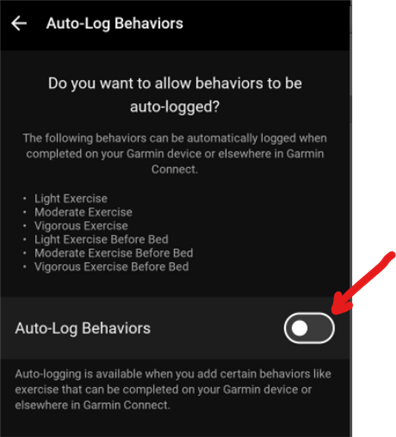
These options are not available. See screenshot from EandoCro.
Ah yes, indeed, it would be really great to have that option.
Unfortunately, and this is precisely the problem, it's not available.
Thank you for showing us... what we're missing!
Do you have all of the following data for the past days?
If not, then it could be the reason why the Lifestyle Tracking options are limited.
Yes, the data is tracked.
And did you add some of the Exercise options to the list of tracked behaviors (in Edit Behaviors)? If not, then there is nothing to auto-track.