


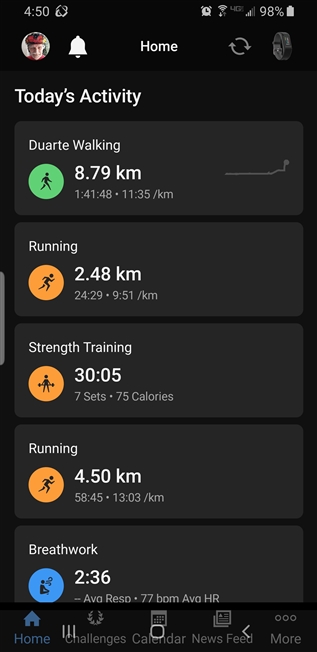
Why is Garmin Connect v5.19 overlapping the bottom 3 navigation buttons in Android 9.0? It does this almost every time I go away from the main screen and come back to the main screen. The "Home, Challenges, Calendar, New Feed, More" Connect buttons are superimposed over the 3 Android navigation buttons at the bottom of the screen. It makes it impossible to select the Connect buttons because the Android buttons seems to have priority. Consequently, the Connect app ends up being closed! This is on a Samsung S8. This Connect v5.19 is the first time this problem has happened.
See attached screen shot, bottom section.

