This discussion has been locked.
You can no longer post new replies to this discussion. If you have a question you can start a new discussion

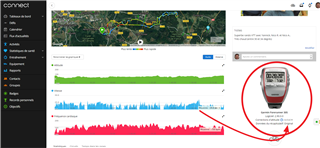
Not anymore the speed information graphs on connect mobile apps. That's fine on the web version but not on the android version.

Former Member
Former Member

Hello and happy new year

Not anymore the speed information grapg on the connect android version.

Ok with the web version but not on the mobile apps

Thanks in advance 

  • That's not a FIT file, it is a TCX file. Export the Activity "as Original" to get the FIT file

  • Former Member
    0 Former Member in reply to trux

    Oupsss... sorry, I'm not familiar with FIT files

    Here is the Original export attached

    Seems to be as well a TCX file when I open the ZIP file

    5146660777.zip

  • Hm, it is still a TCX file. Are you sure you exported it from Garmin Connect Web, using the option "Export Original"? If so, then could it be that this activity was not recorded by your Garmin watch, but was rather imported from a non-Garmin device?

    If it it was recorded on a Garmin device, then connect it with an USB cable to a computer, and find the FIT file in the folder //GARMIN/Activity/ (the date is used as the file name), then zip and upload it here.

    PS: Or perhaps you FR305 is so old that the FIT file did not exist yet (I am not familar with that model) 

  • BTW, when I import the TCX file, it shows up in GC as an activity of the type "other" and not "Cycling" (or MTB / VTT). If it is the same for you, then change the type in Garmin Connect to Cycling, or MTB (VTT in French), and then check again the speed graph. If you change it on the web, you'll need to sync the app first, to see the change applied on the phone too.

  • Former Member
    0 Former Member in reply to trux

    Hi,

    Yes, I did an "Export as Original" and I confirm it has been recorder with my Garmin FR305, but, per my knowledge, only TCX and GPX files are supported on this "OLD" model

    I'm sure this is a bug with the last version (or recent version) of Garmin Connect for Android. All was OK few months ago, I'm sure of that


  • Former Member
    0 Former Member in reply to trux

    Usually, my FR305 is always setup for bike (just bike, no difference if it's MTB or Road bike), and when I synchronize with Garmin Express on my computer, GC Web put in the activity "Bike" --> after, I have to change as MTB or Road, depend of activity.

    I know this watch is very old, but I did a test few weeks ago, I upload a Bike activity than I change on Walking activity, and with that, I got the "Pace" information on the GC Android and it was possible to have the "blue" graph. The raw data sent by the FR305 is fine, that's only how Garmin connect manage the form of the graph (Speed = Kms/h or mph and pace = Min/kms)

    For example, on STRAVA apps, all is fine

    I'm sure the issue is on the GC Connect, not on the original data sent by my old Forerunner 305

    Thanks a lot for your help

  • Well, the change of the activity type indeed does not help showing the pace on the app. The culprit is apparently the wrong activity type, and the different format of the data than at recent Garmin devices. You can try reporting it to the support, but the question is whether they'll bother about such an old model

  • Former Member
    0 Former Member in reply to trux

    Thx, I will try to open a ticket with the support

    Again, thanks for your time passed on that issue

    Regards

    xav

  • I'm sure the issue is on the GC Connect, not on the original data sent by my old Forerunner 305

    Yes, likely it is, but the origin of the problem is the different format of the data, and the wrong activity type. As I wrote, you can try reporting it to Garmin's Customer Support, but I wonder how high they will put it on their priority list. Due to the age of the model, I would not expect a quick fix. In the waiting you should consider installing an older version of the app from a public APK archive such as apkmirror.com or apkssl.com, if you are sure it worked previously.

  • Here is a Bike activity

    This will work and shows speed on the android app - 5146660777_UNKNOWN-fixed.zip

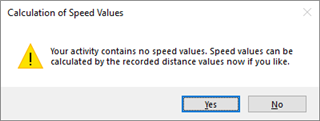
    Unzip the file then import into Garmin Connect using the import data page. Using Fit File Repair Tool I was able to add speed to the file and export as a fit file.

    But that's just 1 activity. If you have a lot of these and don't plan on upgrading any time soon, that would be a lot of work.