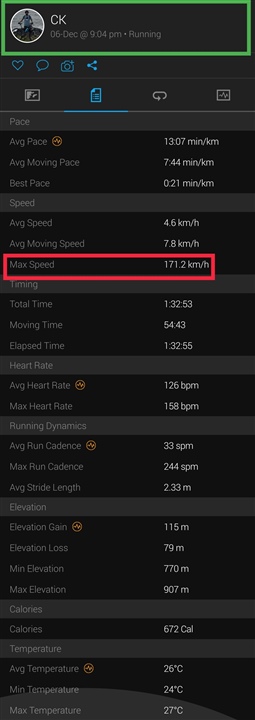
That sometimes occur when the GPS make jumps due to lost connection or other misreadings. Check the map and look for the most red part of the track. Rest of the the track is probably blue.
I get that sometimes when I run errands and make a short stop at a store indoors. The GPS starts to jump around.
... quite often it happens at the start, when GPS satellites are not well acquired yet, and the accuracy is lower. If it is that case, use the Trim function in Garmin Connect Web to remove the offending part.
So, don't think so there is any necessity to use the GPS, right?
So, if you do not need the GPS position, simply turn it off in the settings of the Activity profile you use for recording the soccer activity, or use any indoor Activity profile (such as for example Cardio) for tracking your soccers activities.