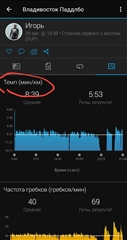
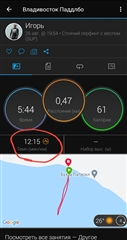
In my program, the speed graph has changed to the tempo parameter
What program? What type of activity?
Run, walk, hike activities use pace (km or mile per minute), just as it is commonly used
Cycling uses speed in km/h or mph
Swimming uses pace in minutes per 100m (or 100 yards)
In Garmin Connect Mobile (and in Garmin Connect Web too), you can see both the pace and the speed values as well. The graphs use the default method for given type of activity, and that did not change recently. If you suddenly see pace instead of speed at some of your activities, then it is probable they are of a different type than earlier.
Garmin Connect Mobile Android software, stand up paddle. Previously, it was in this activity that speed was shown, then it changed to tempo itself. Can I return the speed back? thank
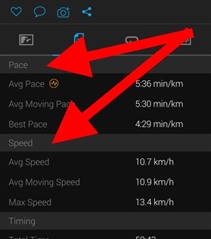
No, you cannot, unless you change the type of the activity to another one, using speed for the metrics. However, you can still see the Average Speed, Average Moving Speed, and the Max Speed on the second tab of the Activity screen.
Pity that you need to go to third party apps to get your data...
No, you do not need. First of all, you can see the speed directly on the watch (just customize your screen). And then, as shown on the screenshot of my previous post, you see both the pace and speed values on the second tab of the activity screen.