GE Crashes When Installing Maps To M4 Mac Running Sequoia 15.7.7

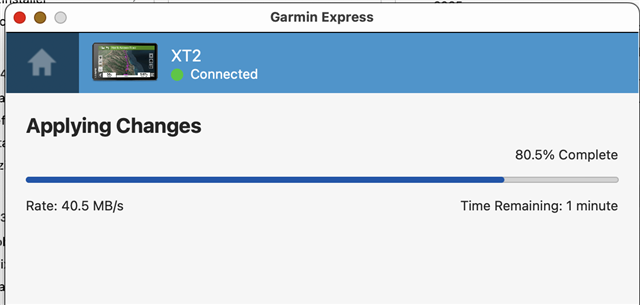
Besides the hit or miss connection to GE using an Apple USB-C to USB-C cable, I can't download the map to my Mac, using Manage Maps feature in GE. It looks like it's going to work, but stall and crashes anywhere from 40% to 80%.


It did actually manage to download yesterday, but the map is locked, and I cannot find any information on how to unlock the file.
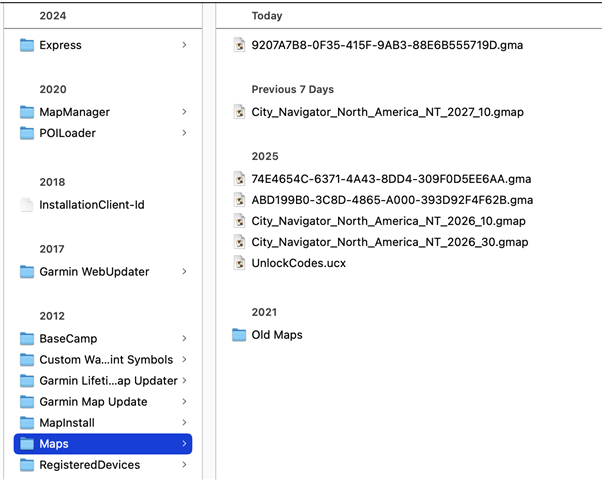


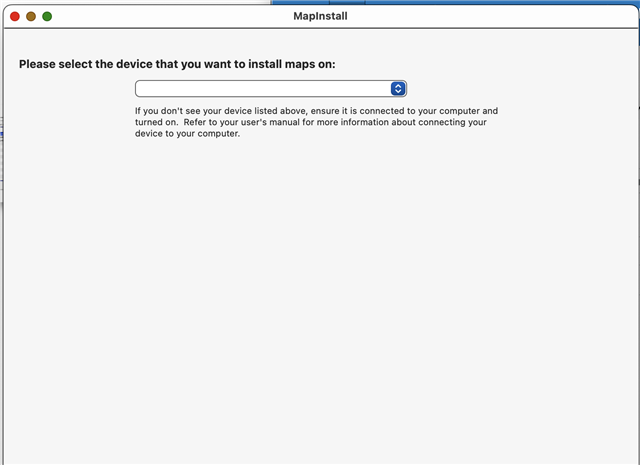
I assume the .gma file is the unlock code, but using MapManager didn't do anything to unlock the map, and MapInstall doesn't even show the XT2 I have plugged in.


I've done all the access to Files and Folders, and in fact gave GE Full Access yesterday, which was how 2027.10 showed up in Finder.

I'm at wit's end, and wish I had never gotten rid of my 595LM.

HELP!!!

  • Okay, I guess all I had to do is ask the question, and things started working. After I posted above, I rebooted my Mac, with the XT2 unplugged. When it came back up, GE had a prompt that there was an update available, 7.29.1.0 When I checked for updates 30 minutes ago, even though I saw here that the update was available, it wasn't available in GE for me. Did the update, plugged in my XT2, and the connection worked the very first time. Tried the install map to computer, and it worked the first time through, adding another .gma file. Went to MapInstall, and now it shows my XT2, and states the most current map is installed. 

    So... it was either the restart of the Mac, the XT2, or the reconnection of the USB-C cable. Or all three, plus the salt I threw over my left shoulder...

  • Hi jmdaniel,

    I'm having the same problem with the Mac Version on M1 Pro Macbook Pro (Windows works fine) and reported this bug to Garmin Support (DACH region: Germany, Austria, and Switzerland) on June 1, 2025 (yes, 2025!). This bug has been occurring since at least version 7.25.0 of GE. A few days ago, I was told that version 7.29.0 was supposed to fix the problem, but it continued to occur in that version as well. Now, according to what you said, it seems to be fixed in 7.29.1—I still need to test it! I’ll post an update here.

    General Error Description:

    When you try to install Garmin Maps on your computer using your Zumo XT device and Garmin Express, the download and installation suddenly stop at about 70–80% completion, and one of the following error messages appears:

    In german:

    "Bei der Installation des Updates ist ein Fehler aufgetreten."

    "Bei der Kommunikation mit unseren Servern ist ein Problem aufgetreten."

    If you look at the map’s download size, it’s only about 5.9 GB, even though it should actually be larger.

    With the help of support, I created a logging trace of this behavior, which they analyzed.

    In version 7.29.0, however, it simply stated: “Added additional logging for the ‘Install Universal Map on Computer’ process, which is canceled without an error.”

    This does not appear to be a fix for the problem, but rather an attempt to narrow down the issue by generating additional log information.

    Unfortunately, I cannot find the release notes for 7.29.1.

  • Release Notes for 7.29.1, which is only for Mac:

    Garmin Express Release Notes

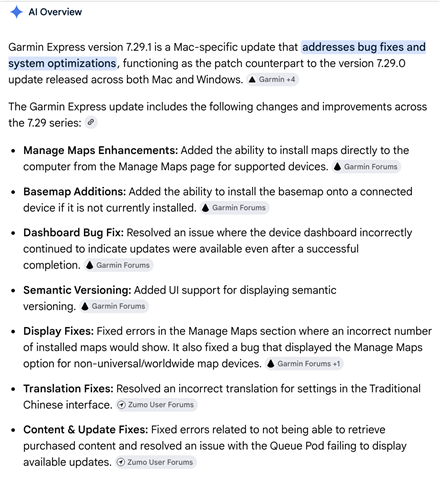
    The AI Overview description of 7.29.1:


  • They just updated the release notes: https://forums.garmin.com/apps-software/mac-windows-software/f/garmin-express/438302/garmin-express-release-notes

    • Fixed an issue with users receiving an invalid login request when trying to make a purchase. 

    I've tested 7.29.1, unfortunately i am still experiencing the same issue... (i am running macos 15.7.7 too)
    The support asked me to create a log file, so I'll do that. 

    What is your use-case for installing the map directly onto the computer? Mine is, that i am still use Base Camp for Route planning and for performance reason, i install the map.

  • Well, they didn't "just updated the release notes"; the update was made 7 days ago. That one line is what I saw two days ago.

    We have the same use case. My XT2 had 27.10 on it, BaseCamp on my Mac 26.10, and I use BaseCamp to build routes. Prior to this week, when I was able to install 27.10 to my Mac, in order to make sure that the Mac and XT2 version of a route were the same, I had to plug my XT2 into my Mac, connect to my computer on the XT2 a half dozen times or so, with no connection, and when it finally showed up in BaseCamp, select 27.10 from the list of maps available to build routes. Very inefficient and kinda ridiculous. Now that I have 27.10 on my Mac, when I pull up BaseCamp, 27.10 is the map I use to build n.