Here are the photos of the error loop how do we update the software?


Here are the photos of the error loop how do we update the software?
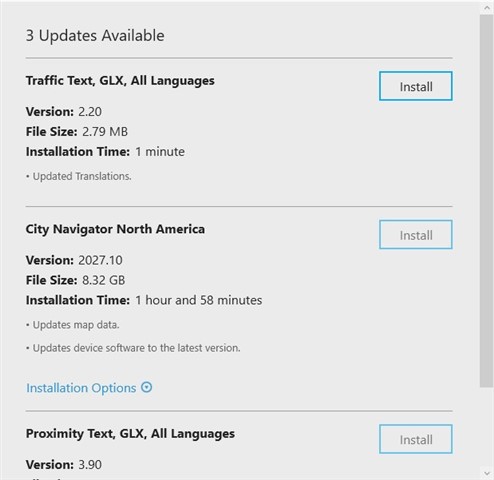
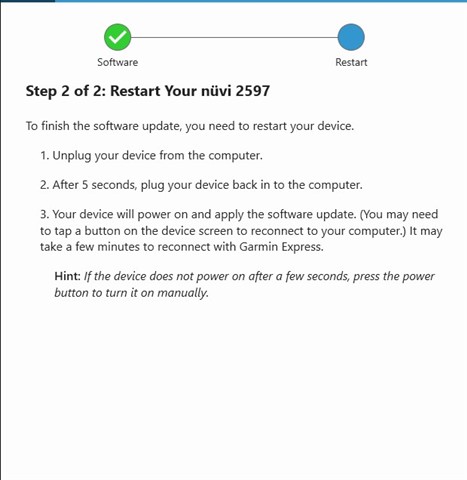
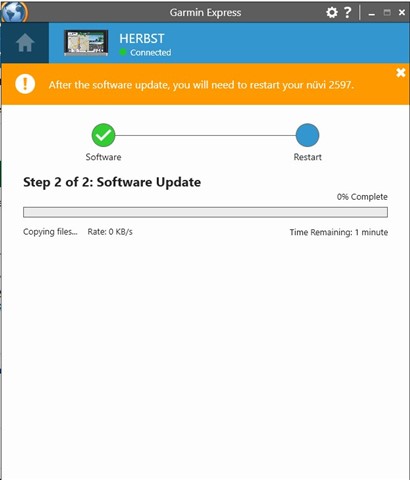
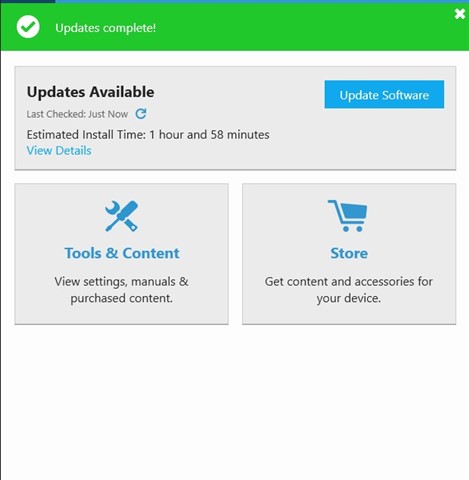
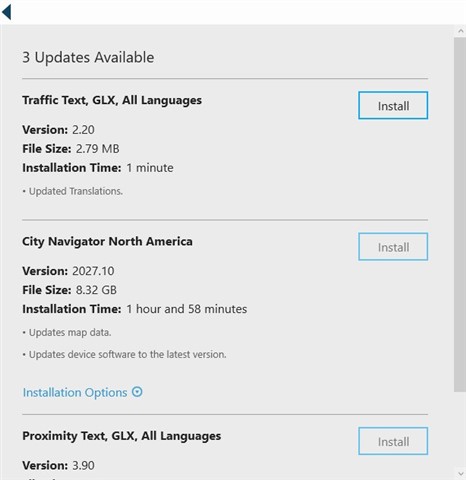
You should be able to install the City Navigator North America 2027.10 update independently of the Traffic Text and Proximity text, so please give that a try and let us know how it goes.
The other two choices are greyed out and not available.
Your experience sounds very similar to mine, in a thread called
which was last contributed to yesterday. I tried many different things, and these actions MIGHT have made the difference for me:
1. My computer software programmer neighbor found something called WebUpdater (by Garmin) which may be a former tool to use for updates before Garmin Express. I'm not 100% sure what actions it took, and it alone did not fix my problem, but it may have contributed to my ultimate success.
2. My nuvi 1300 internal memory was VERY full. We deleted all of the non-English voices which gave the memory a little space.
3. I was using a 32 GB microSD Class 4 card that caused frequent prompts to scan and repair the card, which always ended with no errors were found.
4. I purchased a new 32 GB Class 10 card and had success on first try.
Here is what ended up working:
1. I applied the text update via Garmin express.
2. I then Unplugged the Garmin from the computer
3. Plugged the Garmin into my iPhone USB wall charger
4. The Garmin notified me the cable wasn't the proper cable for charging
5. I clicked OK
6. The Garmin notified me that updates were applied.
7. I unplugged the Garmin from the iPhone wall charger and back in to the computer
8. Garmin express no longer showed the looping text update as the only option, that update was gone
9. Garmin express now allowed me to update the maps which was now able to be selected and clicked
TAAAA DAAAAAAAHHHH!!!!!!
Here is what ended up working:
1. I applied the text update via Garmin express.
2. I then Unplugged the Garmin from the computer
3. Plugged the Garmin into my iPhone USB wall charger
4. The Garmin notified me the cable wasn't the proper cable for charging
5. I clicked OK
6. The Garmin notified me that updates were applied.
7. I unplugged the Garmin from the iPhone wall charger and back in to the computer
8. Garmin express no longer showed the looping text update as the only option, that update was gone
9. Garmin express now allowed me to update the maps which was now able to be selected and clicked
TAAAA DAAAAAAAHHHH!!!!!!