MAPS - Fail to load latest version

Opening Garmin Express today the latest version (2026.1) of applicable maps were shown to be available for my device.

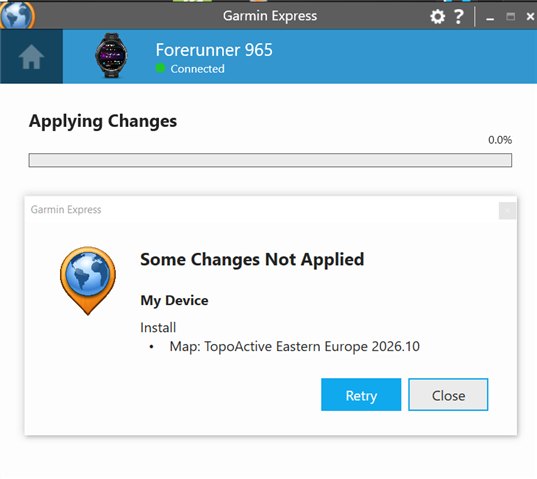
After selecting the maps in the Map Manager, the old versions were deleted from my F7Pro, but the new versions continually fail to load, even after many+1 attempts 

It does at times seems to go through successfully, but  it is not visible on the device under installed maps

Other times the load and installation process will just fail when re-running:
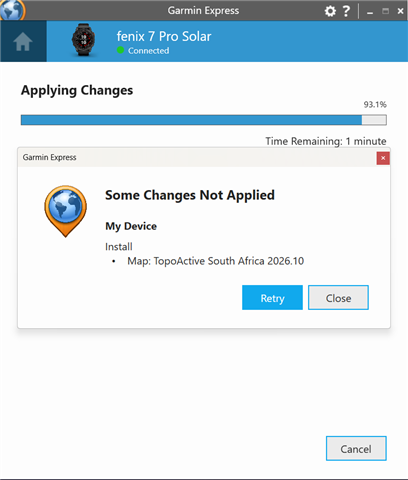
Subsequently I have no useable maps available on my device currently :( 

Any ideas will be appreciated

Thanks

  •   - Can you please post a video of what you're seeing and selecting in Express to get to this point, or at least to the point where the progress bar appears?

  • Thank you - it seems the update went through this morning as I can see the required map now on my watch's activity map screen.

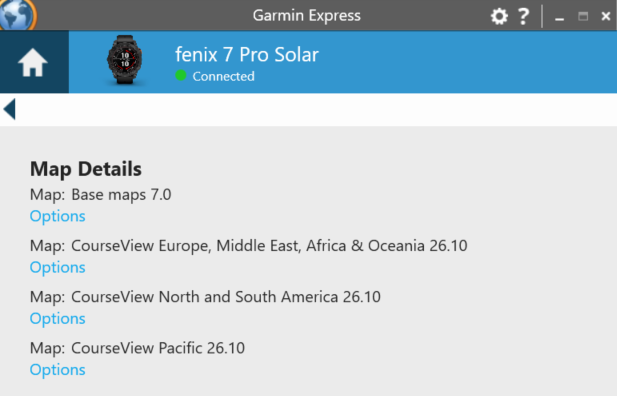
    Just a remark, the maps are not visible on this screen of Express:

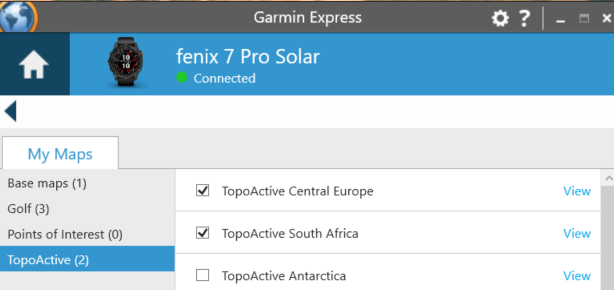
    but it does show as follows under ' Manage Maps', My Maps:

    Many thanks 

  • Same here. I have no more maps on my watch now. Everything's gone and I am not able to reinstall. Same error messages here. Very annoying!

  • Same issue here, it deleted the on device maps and I can't install the new one. Great, my watch just became unusable for navigation :-(

  • Downloading via WiFi doesn't seem to work either, 0% after 10 minutes... So I'm left without maps for the weekend, what a joke.

  • Thank you for those screenshots. I have emailed you to gather additional information regarding what is going on. 

  • Same problem on EDGE 1050.

    After updating the map to TopoActive Eastern Europe v2026.10 in Garmin Express, I can't see either the previous map (2025.10) or the new one (2026.10) and it doesn't offer me any updates anymore.

    In the EDGE 1050, in the Map Manager, I see that 2025.10 has disappeared and 2026.10 is waiting to be downloaded via Wi-Fi

  • The next day I cleared the wifi queue and ran Express again, and this time it worked.

  • Update : 

    The installed  (F7Pro) map is still not showing in GE, and the latest Europe 2026.1 fails to download since last week.

    GE keeps shutting down.  (The map list in GE is also not correct)

    Thanks