


I'm trying to update the factory-included maps on my Amazon refurbished Edge Explorer 2.
I initially had some trouble updating to the latest firmware (it had apparently been sideloaded) but joining the beta channel triggered the update to 30.19
I'm now struggling to update the maps - the ones on the device are all from several years ago (with the exception of the third party map I have purchased)
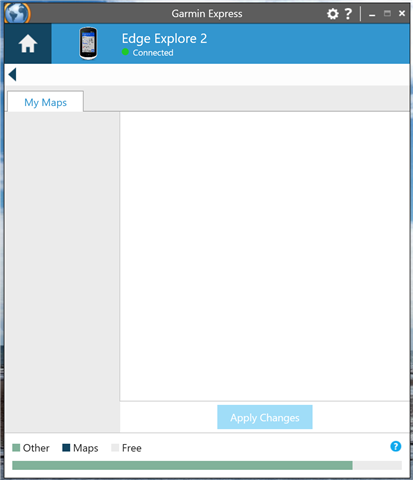
When I click "manage maps", I just get this blank screen - as if it can't recognise any of the maps on the device (given the storage is just full of "other").
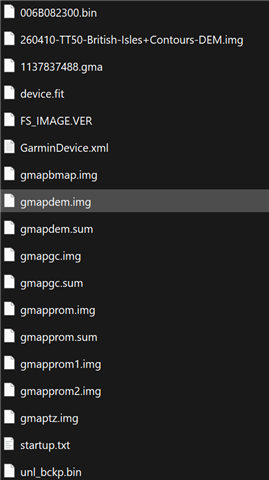
These are the files in the GARMIN folder:
I've several steps so far after going through Google
- Running Garmin Express as admin and in Windows 8 compatibility mode
- Ensuring high contrast themes are turned off
- Setting desktop scaling back to 100%
- Deleting the maps
- Deleting GarminDevice.xml
- Removing and re-adding to Garmin Express
- Reinstalling Garmin Express and clearing all data out
I think it could be a device issue - as my Fenix 6X Pro updated its maps no problem.
Can anyone advise on what to try next? Or could this signal a device problem that needs taken up with Amazon and a replacement?
Many thanks!


