


After being frustrated that I could only load music from C drive. I found a solution that works. Use mlink as below. Creates a symbolic soft link to your network drive.
Garmin express looks in the folder that you have already added for scanning that now includes a soft link to your music files
Type CMD in the windows search bar and when displayed select Run as Adminstrator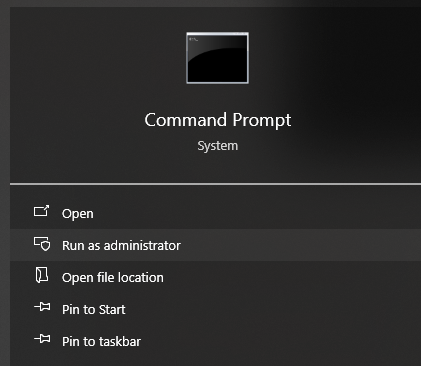
Ensure you are already scanning for music in Garmin Express. If you want to use the default user music folder it should include somthing like C:\Users\username_000\OneDrive\Music\ instead of "folder already scanned" below. "link name" is the name of the new soft link and must not exist already. Replace "\\NAS\Music Folder" with your network location. Quotes only needed if you have spaces in your path.
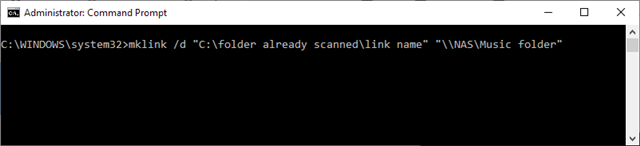
Once complete then Garmin Express will scan the folders on your NAS network drive.
Note: if you have several GB of music then it may take many minutes re-populate the content in Garmin Express.
Additional Note: If you do add the link to your OneDrive you will end up syncing all your music to OneDrive too. This might or might not be desirable for you, and may also take some time to do 
