BS 4.3.3
Windows 8.1
In the past, hovering over a close knit group of elements (waypoint, tracks, birdseye etc), would give a pop up menu where you could mouse up and make a selection from everything in that very nearby location.
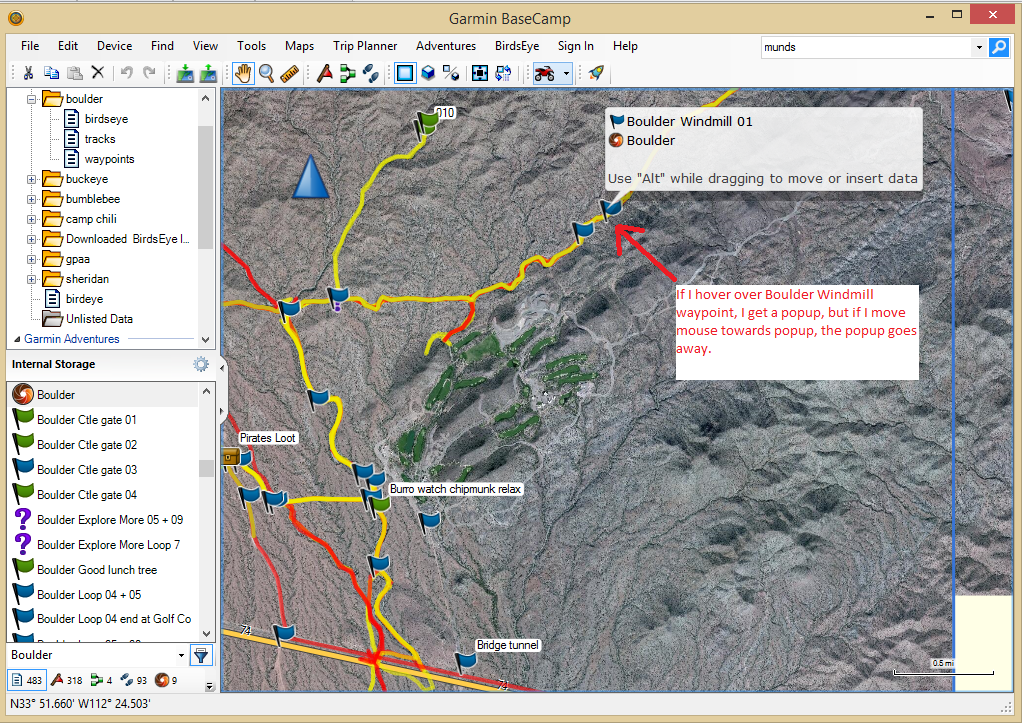
With 4.3.3 hovering over the same group of elements, will give you a pop up list of waypoints and birdseye only. And you can not make a selection from that popup. If you move your mouse up towards the list it, it quits displaying.
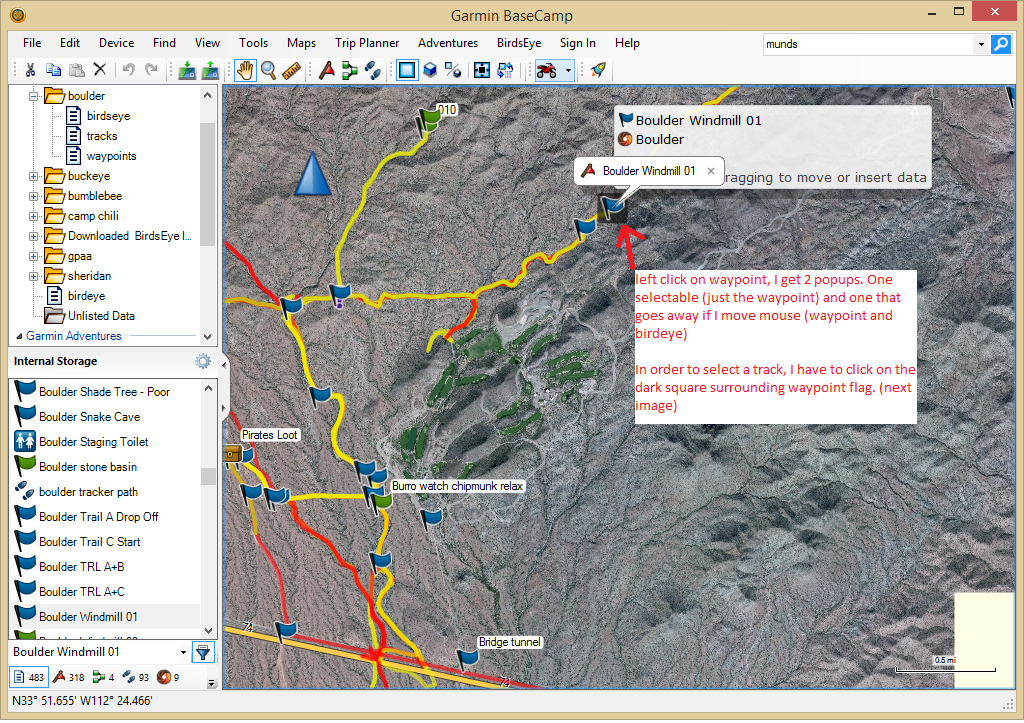
If you click directly on a waypoint, it will select that waypoint and display it alone in a pop-up that is then clickable.
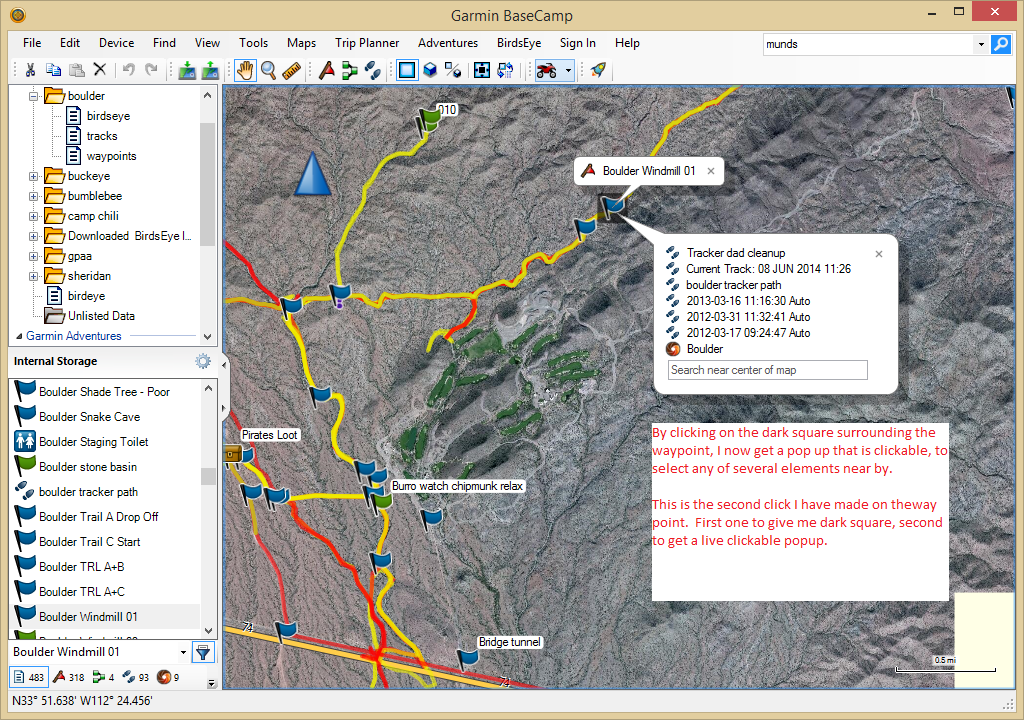
To make a selection on any other nearby elements, (tracks,other waypoints, birdseye), you have to then click the same waypoint again (while its first clickable pop up is still displaying) and a second list of nearby elements will display. That second list, is then clickable.
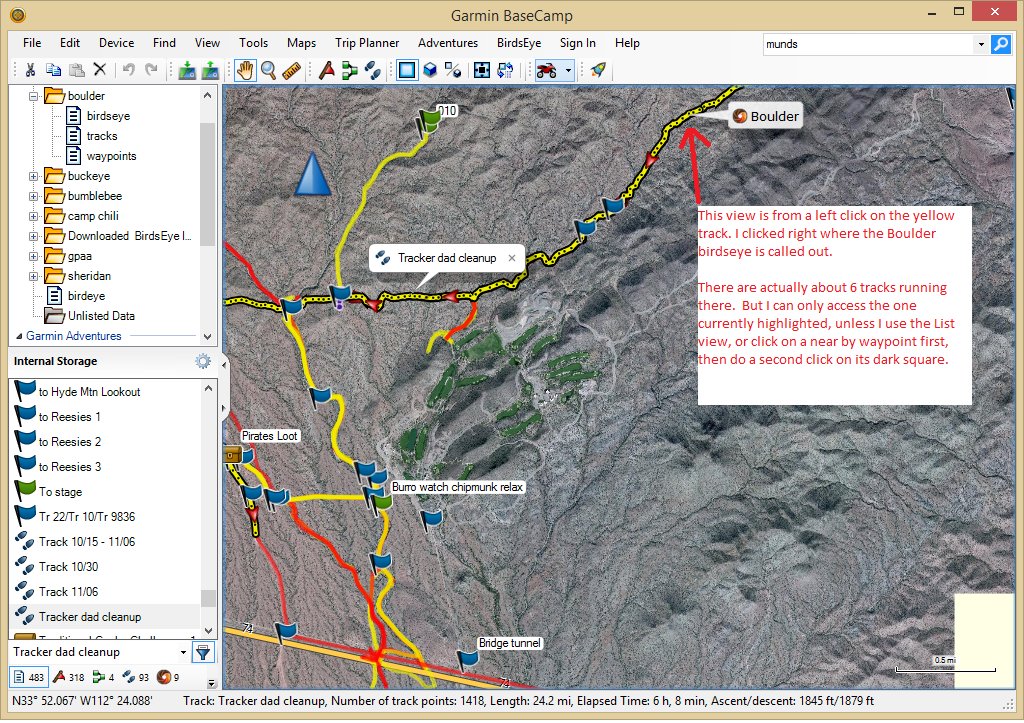
Maybe this change is in trying to stop some of the hover popups that so many folks (myself included) have complained about. If so, I am all for it, but there needs to be additional refinement. For instance if I have two tracks running close and parallel, it is impossible for me to choose a specific track, unless a waypoint is nearby for me to get the clickable second list. Clicking on a track that already has its first click selection window, does not make a second clickable list of nearby elements, it just selects a point, on that same track.