Hi Guys,
I've created a virtual USB Flash drive on my Windows11 using the native Disk Management app.
It works fine coping, pasting and reading the files but with Basecamp.
It simply doesn't recognize it as "device".
Any ideas of why?
Thank you,
Hi Guys,
I've created a virtual USB Flash drive on my Windows11 using the native Disk Management app.
It works fine coping, pasting and reading the files but with Basecamp.
It simply doesn't recognize it as "device".
Any ideas of why?
Thank you,
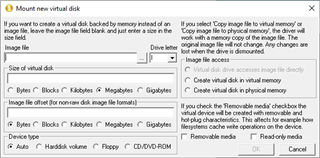
First thought is have you a folder named Garmin on it with a valid .xml file in it?
Or is it not even appearing in BaseCamp? If so your virtual drive isn't a removable drive, which it has to be for BaseCamp to see it.
Tks in advance.
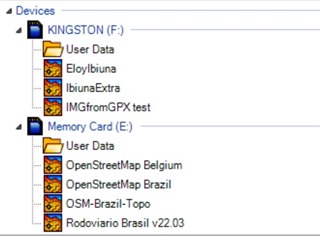
It does have a Garmin folder but only contains .img files, exactly like the SD and flash drive showed on the pictures below.
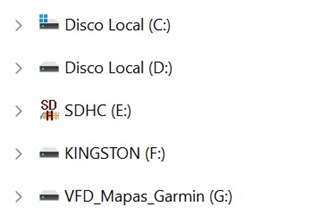
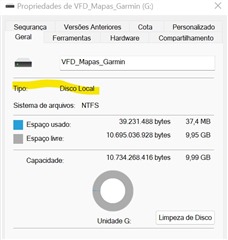
It's not even appearing in Basecamp and my conclusion is as you said ; the virtual drive created by Windows 11 itself is not "removable" (but it can be "ejected")
Is there a configuration to set it as a "USB" instead of "local disk"? or i need another software to create it? any recommendation?
Thank you,


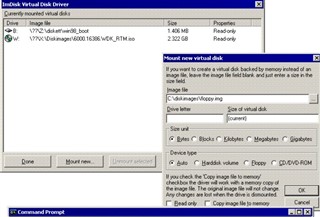
http://www.ltr-data.se/opencode.html/
The drive has to be “removable”.
Thank you very much.
Following the breadcrumb you provided I found a way to facilitate the creation of the drive to others who my need it too.
JaVaWa | Use a virtual device with Basecamp
https://www.javawa.nl/downloads/divers/Create%20virtual%20device_win.zip
Appreciate
PS: I couldn't find the options to make it "removable". tks

I'll look at it Monday.
I use it.