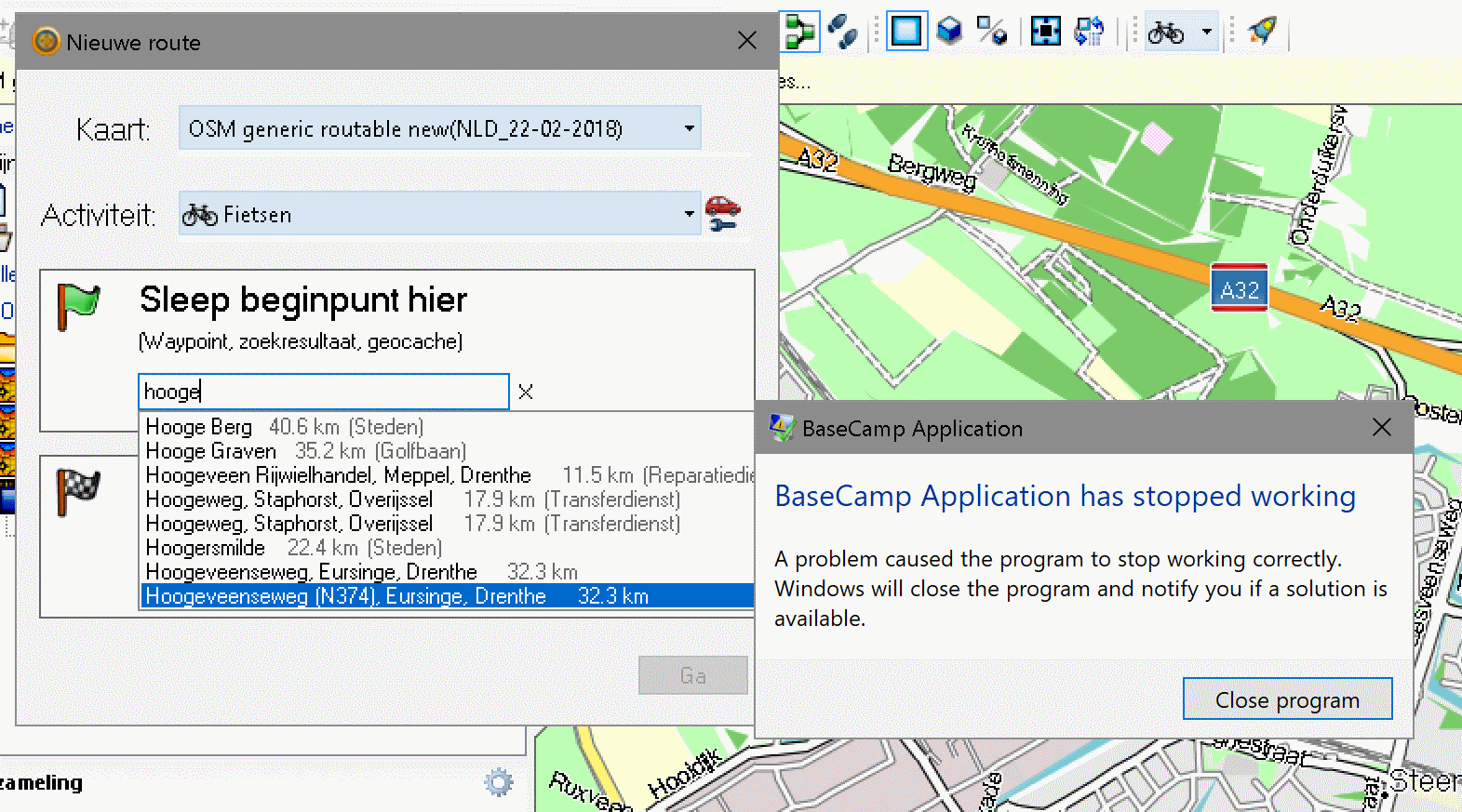
Basecamp crashes just after typing some charachers of route starting point

Former Member
Former Member
After typing several characters in the automatic search window Basecamp crashes. Can be reproduced after restart. Some location names do crash, others don't ?? My setup: Garmin Oregon 700 + OSM NLD_22_02_2018 + Basecamp 4.6.2 + Windows 10 + Avast antivirus . Also tested it on other PC resulting in same problem. Rebooting does not solve the problem.
ciq.forums.garmin.com/.../1332658.png
  • Rarely have BaseCamp crash. Try reinstalling it.


    Wish you were sitting next to me last night- it happened about 20+ times.
  • I think you focused left an USB or Garmin device. So the new track oder route is written to this device. This do not work and Basecamp crashes. This is a bug. You can try to focus "My Collection". I think thats all :-)
  • Former Member
    0 Former Member
    Basecamp crashes when searching for a place are most likely due to congested POI files or gpx files containing duplicate items or user files that at startup reads to generate its running databse, especially POI files. Stop Basecamp. Go to POI folder. Move all POI files into a new temp folder outside GARMIN folder. Start Basecamp. If not crashed then copy POI files one by one back to their original folder GARMIN\POI and restart Basecamp each time a POI file is moved back to GARMIN\POI. If culprit POI file found then you can recreate it from corrected gpx files or other sources.
    Do the same procedure with gpx files and find which one causes crash.
    At the top of Basecamp search box icons shown are the places Basecamp going to search. You can uncheck all and search then check each at a time and search to have better idea where to look for crash-causing ppx/poi files.
    If you have several devices/usb cards with Garmin gpx/poi files connected to same comouter then remove all and run Basecamp to see which device causes crash.
    After you found crash-causing device make sure it is the only connected device then start Basecamp. While Basecamp is starting look carefully at its left pane while generating its running database. Good input files shows animated progress in GREEN. While bad files show RED progress animation. As soon as a progress animation becomes red note it related files in device. This would reduce amount of work needed in finding and eliminating bad files.