App keeps crashing on iOS. Tried removing app and reinstall - soft reset on phone. Remove watches and re-add ( won’t let me) tried each watch separate to see if it’s that. It’s not!!! Run out of ideas. Feels like server issue ????
Ridiculous. It's not like this year is the first time there is a daylight saving time change, this is really trivial stuff. And no disabling Apple Health is not a solution, because then it won't sync sleep/steps/weight/workouts etc. to Health anymore and IIRC it won't sync retroactively, so you lose all that data.
Same problem for me and thanks to this thread I managed to restore a more or less functional app. I am annoyed that I have to give up sync with Apple Health, though. It is in fact annoying! Let's hope they'll fix it soon
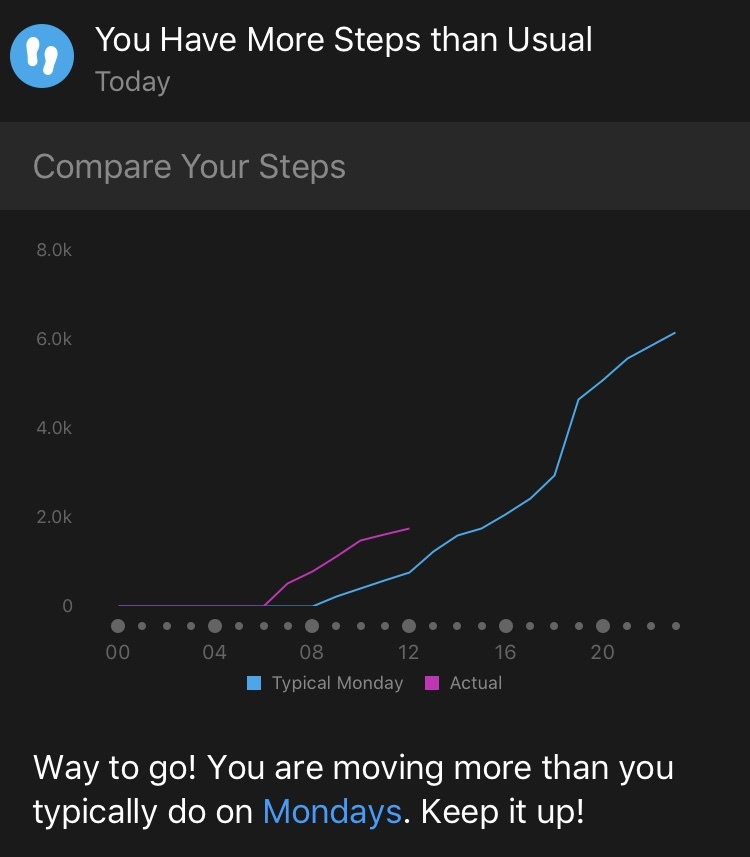
Wow - just the hassle of trying to register on here to post something was a nightmare - how typical of Garmin. Just thought I'd share a me too for both the issue and the 'fix' and add that today my clever little Garmin App gave me the 'insight' that I'm picking up Steps faster than I normally do on a Monday. Odd, I thought, as it's a normal working day, only to realise that the graph it was showing me was time-shifted TWO HOURS earlier. i.e. the app thinks I normally get moving at 8, whereas today it was 6. Actually it's always 7, so something weird is going on, that's for sure. The app appears to know the correct time, as does my watch, so I imagine it's a server issue. Probably connecting to a server in a different time zone which is screwing everything up.ciq.forums.garmin.com/.../1419090.jpg
+1. Thanks for the workaround! Was going out of my mind, didn't fancy the usual Garmin "reset everything to factory" answer. Paired it with my ipad (no apple health) and it worked fine. switched back to iPhone after seeing this thread and disabling Apple Health.