This discussion has been locked.
You can no longer post new replies to this discussion. If you have a question you can start a new discussion

Fenix 6 Series - 9.94 Beta Release

Hello Fenix 6 customers,

We have new software available for your upcoming adventures!

*Our 9.92 Beta for Pro models contained ANT/BLE software version 6.03, however, we believe this peripheral software update has includes a bug that could lead to phone connection problems, or disconnects from sensors/headphones. The 9.94 update folders contain the file needed to backdate the ANT/BLE software from 6.03 to 5.04, which we recommend that you install if you have a Pro model. The instructions for installation provided on the above links remain the same, no additional steps are needed for installing the backdate file. 

Please ensure that you are downloading the correct beta software for your specific device.

Fenix 6s: https://www8.garmin.com/support/download_details.jsp?id=15166
Fenix 6s Pro: 
https://www8.garmin.com/support/download_details.jsp?id=15164
Fenix 6: https://www8.garmin.com/support/download_details.jsp?id=15162
Fenix 6 Pro: 
https://www8.garmin.com/support/download_details.jsp?id=15160
Fenix 6x Pro: https://www8.garmin.com/support/download_details.jsp?id=15168

Instructions for installation are available below the change log on each of the above pages.

9.94 Change Log Notes:

  • Made improvements for On-device Sleep.
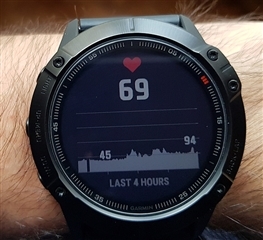
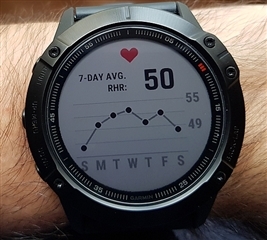
  • Added support for viewing recovery heart rate from the activity paused menu.
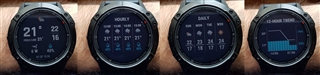
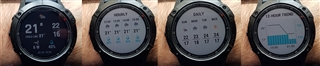
  • Updated the UI for Steps, Sunrise/Sunset, and Training Status widgets.
  • Improved data reliability for the weather widget.

*On-device sleep calculations have now been added.  This information can only be viewed via the Sleep widget. Please follow included instructions above to add the widget. On-device sleep calculations can be viewed in Garmin Connect Mobile and Garmin Connect Web when using beta software 9.92 and above.  A few notes concerning on-device sleep and how it is viewed in GCM and GC-Web:

  • The sleep cycle doughnut around the total hours of sleep in GC-Web does not currently match GCM or your watch.
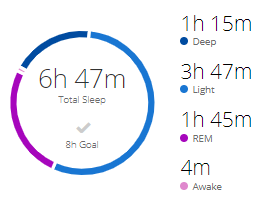
  • When looking at your sleep data in GCM or GC-Web, if REM sleep shows --, and your total sleep time does not match your watch, this means the old sleep data calculations are being shown.  It's an indication on device sleep has not yet been uploaded.  Please be patient and allow the data to upload.

Current beta peripheral software version numbers below. New versions are indicated in red.

GPS: 4.40
Sensor Hub: 7.04* (required for new Sleep tracking)
ANT/BLE/BT (Pro models): 5.04 *See note above
ANT/BLE (non-Pro models): 2.11
Wi-Fi (Pro models only): 2.60

Please note, the beta updates released on these forums are not suitable for APAC region devices.

Please send all bug reports to [email protected], and indicate which model of the Fenix 6 Series you have in the subject line.

Top Replies

All Replies

  • 9.94 Change Log Notes:

    • Made improvements for On-device Sleep.
    • Added support for viewing recovery heart rate from the activity paused menu.
    • Updated the UI for Steps, Sunrise/Sunset, and Training Status widgets.
    • Improved data reliability for the weather widget.

    How can there be changes over 9.92 if only sw change is to go back from 6.03 ant/ble/bt to 5.04?

  • Good timing. I didn't have any phone connectivity issues all day but it started acting up this evening. Hopefully this brings things back to normal.

  • What? It's a new software release, version 9.94.

    Where does it say the only change is the BT version?

    You've "read" something not there.

    It says as part of the software upgrade, a downgrade for the BT software is included.

  • My Creative Outlier Air were working perfectly with the 6.03 bt firmware and for the first time, the volume up and down controls on the earphones worked properly. Before 6.03, the volume down had no function. Also, I confirm that with the 6.03, I had too many disconnections between Fenix 6X and my MI 9T Pro. I hope the bug will be resolved. 

  • Cool - I had a repeatable bug (which I reported as requested to the email address for same) with Bluetooth headphones on the last beta -- it connected and worked fine, but if you then turned OFF the headphones you lost ALL bluetooth connectivity (to a phone or to the headphones) from that point forward until you power-cycled the watch.

    That was quite annoying; hopefully this "backdate" fixes that; will report here if it does/doesn't (plus email if it doesn't)

  • I reported a 100% repeatable problem with BackBeat FIT headphones; if you paired and connected them, then turned them off, you lost ALL Bluetooth connectivity from the watch.  Only fix was to reboot the Fenix; any other attempt (e.g. shutting off the phone connection and back on, rebooting the phone, power-cycling the headphones, etc) was futile.

    Sounds like they isolated that and decided to roll back whatever they changed.

  • Yep -- problem gone.  I can connect/disconnect my headphones from the watch and the phone remains connected and works.

  • So far all works fine for me and my Fenix 6 Sapphire. 

  • Fenix 6 Sapphire Titanium everything went smoothly for the downgrading.

    (Just the "maps loading" was very sloooooow but the culprit seems to be the last update of the map...)

  • Hi,

    can't access Connect IQ Apps in Garmin Express (v7.0) on Windows 10 - 2004 - x64. Server Error

    Can't access watch faces on Garmin Connect mobile (v4.31) Android, same problem "Server Error"

    Downgrade to older Firmware eg 8.10 on my watch, does not fix this problem.

    i have try Reset and Master Reset, but nothing helps.

    regards

    Maik